
Things I Love & Hate About The Sony A7RV
I’m now in my 4th month of Sony A7RV ownership, and in this blog, I will share some things that I love and hate about this camera. Love and hate are both strong words, which work great for titles; however, in reality, it’s more things I like and dislike. These are opinions based on my current experience, and in 12 months, they might change with more hands-on time and software updates.

APSC Mode
My favourite feature is the APSC mode that you can assign to a custom button. Using this mode crops the sensor from full frame to APSC while still maintaining 26 megapixels. If you’re shooting on a 35mm prime, you now have the ability to punch in to 50mm right in camera.

An even bigger advantage is you can now use APSC lenses on the camera thus benefiting from a more compact size and even more lens options. Out of all the features the A7RV has, I use this one the most.

Lens Mount
Out of all the systems I used, Sony has the most open lens mount with the widest choice of lenses covering every focal length and price point. I can even use APSC lenses as already mentioned.

Image Quality
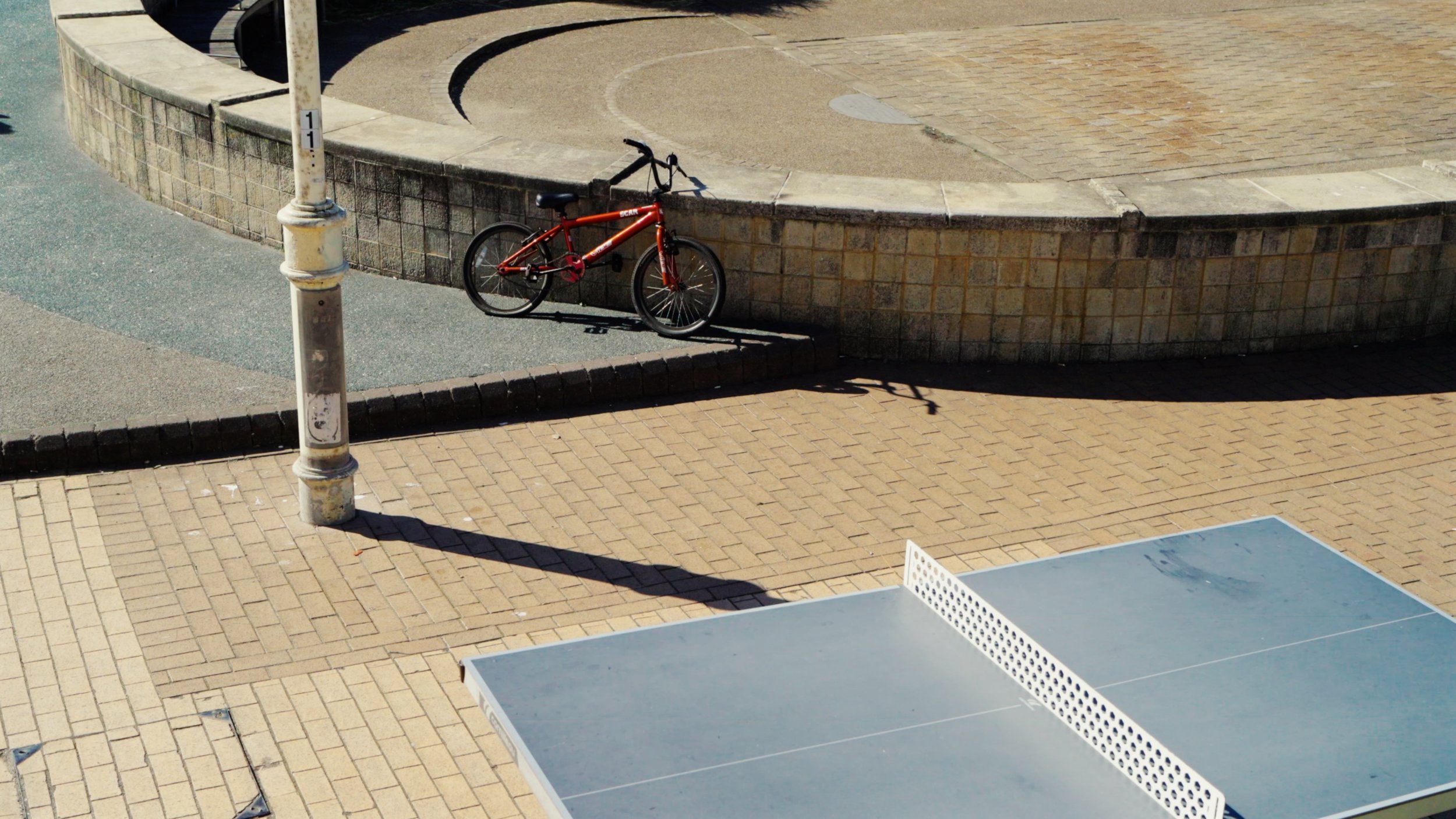
The image quality (photo and video) is fantastic. The raw files have so much room for editing and the S-Log3 profile is nice to work with. The 60mp resolution is also a huge bonus and allows for cropping and re-composing. The colours do need some work to make them look more filmic or more pleasing, but once you get the hang of it, it’s not too difficult. Below are some photos and video stills for example. These are all edited to my style so do not reflect the clinical sharpness that this camera delivers.





Autofocus
I can keep this section short because the AF is outstanding. It focuses exactly where I’d want it to and it almost knows what I’d want in focus. The system is quite complex so it does need some learning and testing, but once you’ve set it up to your liking, you can set it and forget it.

Customisability
The Sony is easily the most customisable camera I’ve used. You can set it up in a huge variety of ways and create configurations that you didn’t know you needed. A good example is having a custom button saved for a specific shooting mode. I have the centre button set so that when it’s pressed, the camera goes into shutter speed priority at 1/30th speed and with wide zone autofocus. This means that when I’m shooting in aperture priority, I can quickly change into shutter priority, get a motion blur shot, and the moment I let go of the button, it switches back to aperture.

Ergonomics
This is very subjective, but for me, this camera feels the most comfortable in the hand with all buttons being exactly where I’d want them and easy to reach. There isn’t much I’d improve about the ergonomics aside from another custom button around the front by the grip and perhaps a top down display.

Another bonus is the screen, which can operate as an articulating one for shooting behind the camera and a swivel one for being in front. You get the best of both worlds and are not forced to pick one.

Speed
The camera is fast. From switching in, changing modes, AF, buffering, and every other aspect of the operation. I’ve not experienced any lag or general slowdown in performance.

Gets Out Of My Way
The last thing I’ve grown to really appreciate about the A7RV is that it gets out of my way and lets me focus on photography. I don’t have to worry about what the best AF mode to use is or how to get around various quirks. It just works 100% every time, at least it has done so far for me.

Viewfinder Resolution Drop
If you’re shooting in AF-C, the viewfinder resolution drops from that headline-grabbing 9k to around 3k when you’re focusing and the AF-C is engaged. The difference is noticeable and while it’s not something that really bothers me much, it’s still a shame. I suspect the processor can’t power both of these tasks just yet. If you’re shooting in AF-S, this doesn’t happen.

No AFL Toggle
I wish there was an AFL switch. While there is a focus hold option, it only works if you keep the assigned button held. It would be great to be able to press it once and have the system locked. You can get around it by using AF-S, but if you’re shooting moving things in AF-C and need to briefly lock the focus, this is useful.
No AEL AFL Combined Button
Almost every camera I’ve owned had a combined AEL and AFL function. This means one button locks both the focus and exposure. This is great when you find a scene, dial everything in, and have to wait for something to happen. By locking the camera, you remove the risk of unexpected changes. While there are longer workarounds and you can lock AEL and then focus hold, it’s not as efficient as one button.

Loud Shutter
Coming from a Fuji system which has a very quiet shutter, I was shocked with just how loud the Sony A7RV is. Previously, I seldom used the silent shutter mode, while on the A7R, I find myself using it noticeably more.

Learning & Set Up
This isn’t a camera you can just pull out of the box and start using. This camera needs a lot of time to learn, understand, and set up. If you want a simple user experience, perhaps brands such as Leica are more suitable. The A7R will require considerable time to learn and understand; however, once you do, it will be worth it.

Feels Like a Tool
While the camera is fun to use, it does feel like a tool that’s designed for a job, and not a device you can bond with and enjoy the process of actually using it. If you love to be hands-on with your cameras, then a Leica Q or Fuji X100 might be a better choice for you. In automotive terms, the Sony A7RV is like a Range Rover. It does everything well, can go anywhere, and be whatever you want it to be. The car gets out of your way and lets you focus on other stuff. However, if you like a more raw driving experience, where you feel more connected with the car, the Range Rover is one of the last options you’d pick. This isn’t necessarily a negative for me, but for many people, it might be, hence the mention.

Looks Like a Tool
The Sony looks like a professional camera. Compared to a Leica or Fuji, this camera screams ‘Pro’. In some shooting scenarios, that can hold you back, especially if paired with a larger lens.



















Instead of telling you how these will change your life, I would rather be practical and answer the most common questions that people tend to have when buying presets.
What are presets?
They are editing settings that are saved in a file and can be applied to any image.
Why do people buy presets?
Sometimes because they like the work of the photographer and want that style for their own photos. Mostly because they would like to see how other people edit and learn by reverse engineering the presets. Other times it’s just to support their favourite photographers, thank you!
What’s the overall style of these presets?
- Filmic
- Warm
- Soft
- Bright
What are these presets suitable for?
Street & Travel Photography
Some Nature (with further editing)
Some Portraits (with extensive editing)
Do I actually use these?
Yes. This is the same pack I use right now for all my editing. This isn’t a pack made just to sell.
Do these presets get updated?
Yes, as my style changes, these presets will also be updated. Any time a new update is available, you will get a free update via email. Of course you also keep all the old presets in case you prefer the older looks. Only presets purchased from 2025 onwards will receive the updates.
What file types are these presets for?
- All RAW files
- JPEGs & TIFFs (not recommended)
What camera brands are these presets for?
These were designed around Fujifilm, Sony, and Leica sensors. With that said, they will work with all camera brands. While there might be differences due to individual camera colour science, the overall feel of the preset will carry over.
Will these work with JPEG files?
Yes, but you will need to reduce the intensity and make further edits. I strongly recommend editing RAW files.
Are these one click edits?
95% No. You would need to do some basic adjustments as each image is different. These adjustments can include exposure, colour balance etc. In 5% of cases you can just apply and leave it alone.
Do I need to know how to edit?
You need to have a basic understanding of adjusting exposure, highlights, shadows, etc. A more comprehensive editing skillset will let you get the most out of them.
How many presets are included?
10 in the main pack and 24 in the extras pack
Why two packs?
The main pack is what I use for 99% of my edits and is kept small to reduce wasted time scrolling through presets. The extras pack is everything I don’t use often.
What software do I need?
These presets will work with any of the following:
- Photoshop (adobe camera raw)
- Lightroom Classic
- Lightroom Desktop
- Lightroom Mobile
Will these presets work with free versions of the above software?
You need to research and double check before buying. These presets were designed for the full paid versions.
Will these presets work with very old versions of the above software?
You need to research and double check before buying. These presets were designed on and for the latest software.
What file type do I get?
XMP
What else do I get?
- Comprehensive PDF guide
Can I modify these and turn them into my own?
Yes! In fact I encourage you to modify them and play around. Use these to help you get your own style.
I have more questions…. What do I do?
Make a cup of tea and drop me an email on hello@snapsbyfox.com
Please note that due to the nature of digital products, refunds are generally not accepted. However, if you experience any issues, feel free to contact me and I’ll review your situation individually. You are welcome to use this product for personal or commercial projects, but you may not copy, distribute, or resell the files in their original or modified form.
Finally I want to say a massive thank you for supporting me. Buying these presets is the most direct way you can support my work.
Thank you!