
DJI Action 5 VS DJI Pocket 3 - Which Is Right For You?
In this blog, I will be comparing the DJI Action 5 with the DJI Pocket 3 and helping you figure out which camera is right for you.
For context, I make YouTube videos about travel photography, and these two cameras have been the primary tools for recording when out and about. Even though this blog aims at helping you pick one, I actually use both for slightly different purposes; this is something I will also touch on. If you want to support the blog, please consider picking up the cameras using the affiliate links below.
There is no extra cost for you, and I get a small % that keeps this blog ad-free.

DJI Pocket 3 Intended Use Case
The DJI Pocket 3 is primarily designed for vlogging. It’s designed to be used while walking and provide a smooth gimbal-steady image. It has 4 mics on board, giving you great audio straight out of the device. The best mic is the one that’s facing you, further cementing this as a vlogging-first camera. There are some smart modes that allow you to place the camera in one spot and let it track your movements using the gimbal. While it’s a great camera for travel, it’s also pretty fragile. There is no weather sealing, and should you drop it, the gimbal can easily break.

DJI Action 5 Intended Use Case
The DJI Action 5 is primarily designed for action sports, underwater filming, and mounting in areas that require small and durable cameras, such as on cars or bikes. While the device is waterproof and can easily absorb some falls, it does suffer in the image quality department due to a smaller sensor. This device works best when there is ample daylight, with image quality and stabilisation suffering when the light levels drop. This makes sense given most scenarios where this camera is used will be during the day. Lastly, this camera has many more options for mounting and accessories.

Accessories & Mounting
The DJI Action 5 takes a clear win here due to the vast ecosystem of native and third-party mounting accessories. Whatever the task, there will be an accessory for that. The DJI Pocket 3 also has ample accessories, and while the magnetic mounts are not interchangeable, you can easily get an adapter that allows it to be used with all the Action 5 accessories. With that said, most accessories might prove cumbersome with the Pocket 3 due to the vastly different ergonomics, something I will cover later in this blog.


Weather Sealing
DJI Action 5 takes a clear win here as it’s waterproof without needing extra accessories. The DJI Pocket 3 has zero weather sealing and even an exposed SD card. With that said, I have used the Pocket 3 in light rain without issues before, although I probably wouldn’t recommend it.


Shock Resistance
Another easy win for the Action 5 as it has zero moving parts and can take a tumble. The Pocket 3’s gimbal is fragile, so any drop might impact it.


Reliability
I’ve never had any issues with the Action 5. With the Pocket 3, I had the gimbal overheat and refuse to work after holding it out of a car window for too long. I suspect the constant need to counteract the wind overheated the gimbal. It came back to life later that day. I also found the DJI Pocket 3 to sometimes glitch out, but this was in the early days with most issues ironed out with updates. With that said, my Pocket 3 was abused for over a year, never seen a protective case, and thrown around without much care, and it never broke down.

Repairability
The Action 5 has a replaceable lens cover, meaning if you damage it, you can easily get it fixed. The Pocket 3 doesn’t have that and would need to go back to DJI.

Ergonomics
If you plan on mostly handholding your camera or resting it on a flat surface, the Pocket 3 makes more sense as it’s more comfortable to hold. The Action 5 is very awkward to hold without using a handle accessory, which in most cases would make it bigger than the Pocket 3. If you want to mostly mount your camera in different places, the Action 5 makes the most sense.


Field of View
The Osmo Action 5 has a wider field of view at 12.7mm. The DJI Pocket 3 has a 20mm lens. The Action 5 gets more into the frame but can look a little too wide for some. The Pocket 3 has a more natural field of view but might be a little too tight for some who also want to have more of the location in the shot. It’s worth noting that you can get a magnetic lens adapter for the Pocket 3 to make it a little wider.


Image Quality - Photo
While the Action 5 has a higher resolution 40MP sensor, it does suffer more in low light. The DJI Pocket 3 has a more natural-looking image, and given the larger sensor, autofocus, and brighter aperture lens, you get nice background blur that’s missing from the Action 5. Unless you need 40MP for a specific purpose, the Pocket 3 produces much nicer photos which can easily be upscaled in Lightroom.

DJI Pocket 3

DJI Action 5

DJI Pocket 3

DJI Action 5
Image Quality - Video
Hands down, the Pocket 3 produces a much nicer image compared to the Action 5 for the same reasons as already mentioned. The larger sensor lets more light in, giving a cleaner low-light image. The fast f/2 lens gives a nice background blur, and the AF ensures that your subject is in focus. While the resolutions are the same, if you want the best quality image, the Pocket 3 is a clear winner.

Pocket 3

Action 5
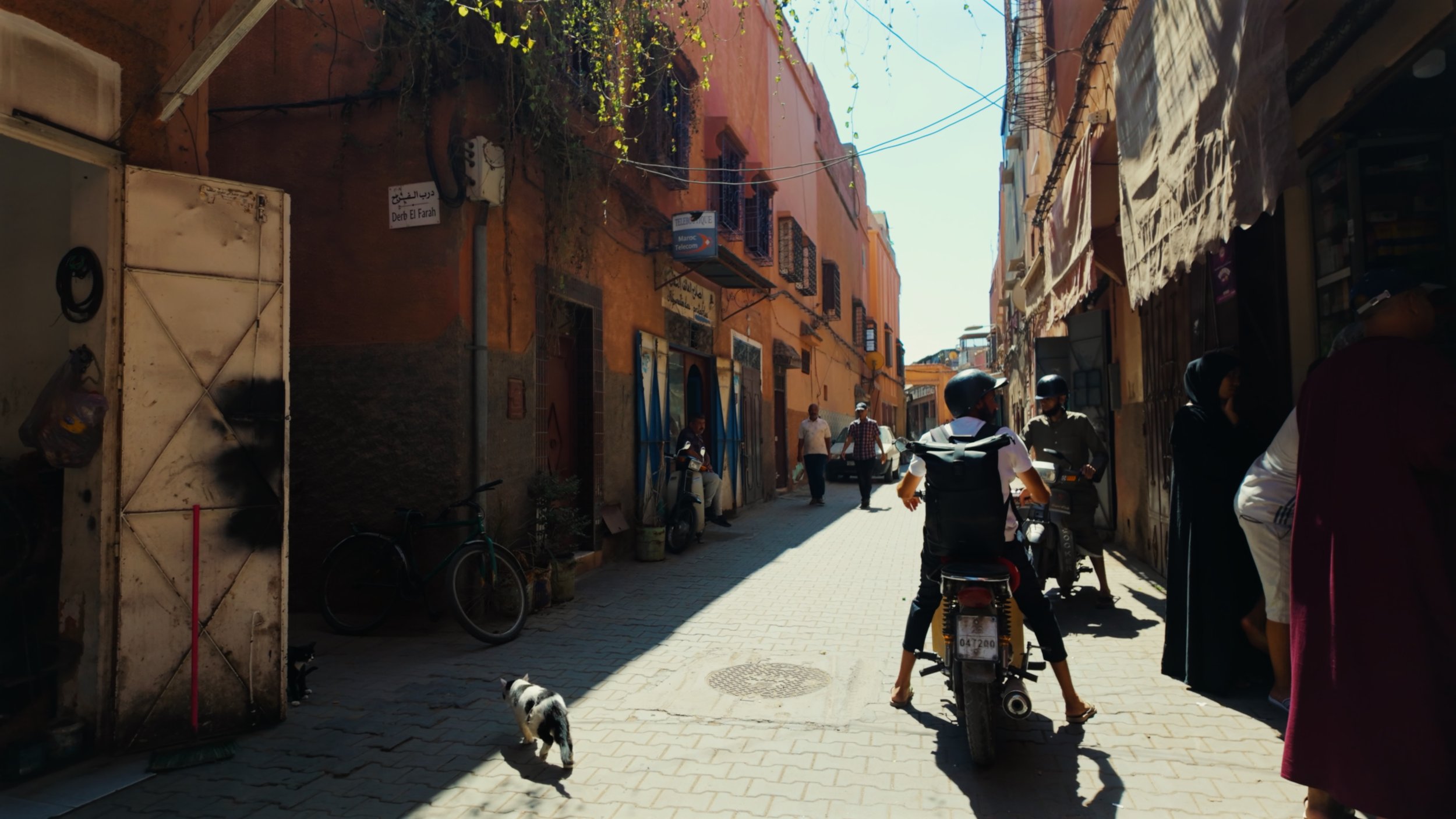
Pocket 3
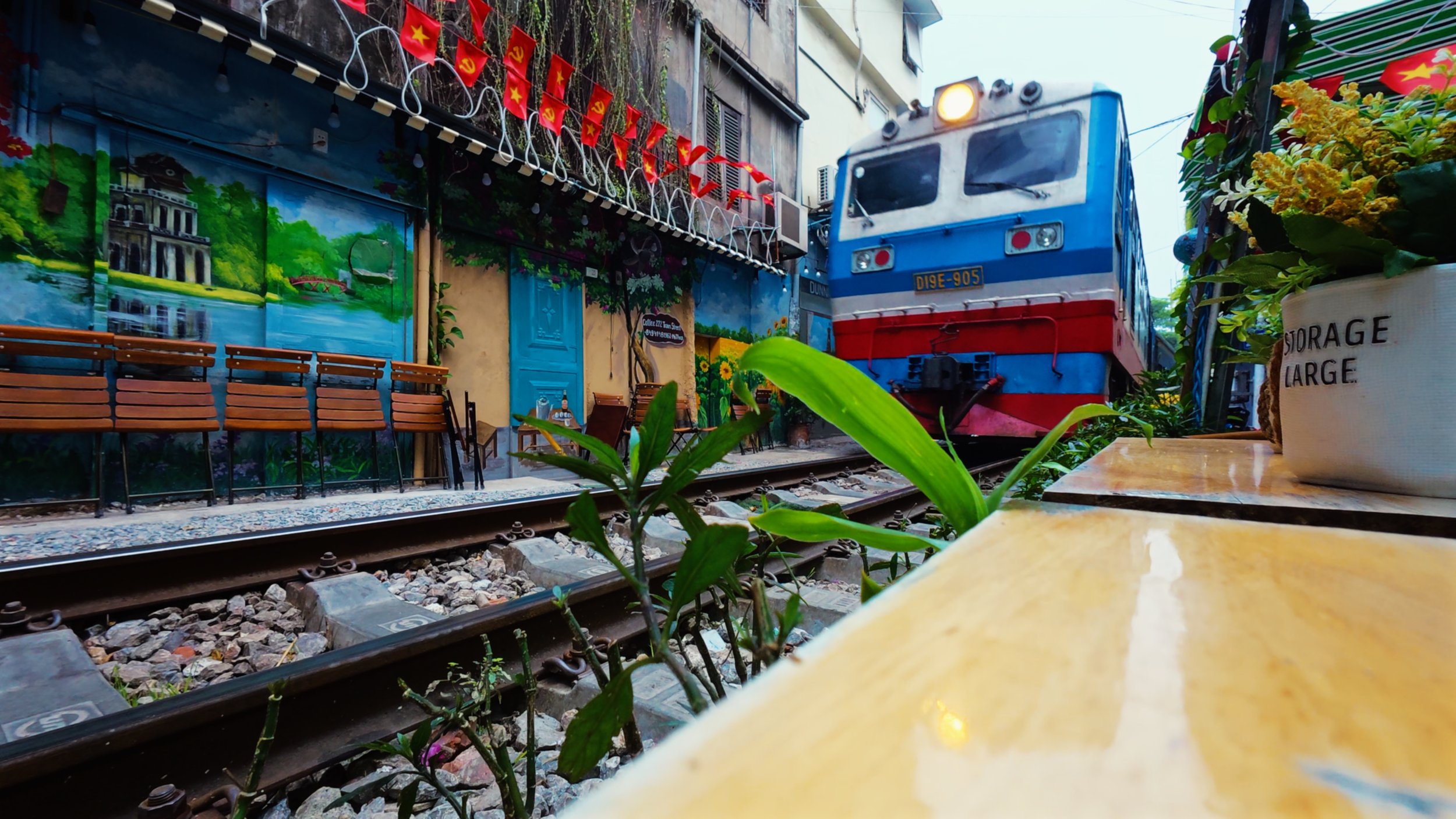
Action 5
Autofocus
The Pocket 3 wins this with ease because it has AF, and the Osmo Action 5 doesn’t. The Action 5 has a constant focus, which is a little further out. This makes sense for the use case but does not allow for subject separation. The Pocket 3 AF system is good and reliable.

DJI Pocket 3 AF

DJI Action 5 No AF
Image Stabilisation
Both come with amazing image stabilisation but have their respective pros and cons. The Pocket 3 relies on a gimbal system which provides an extremely smooth image. The Action 5 uses internal digital stabilisation which also can provide an incredibly smooth shot. The biggest downside of the Action 5 is that the digital stabilisation relies on ample light. As soon as the light dips, the quality of the stabilisation reduces drastically. As for the Pocket 3, it’s susceptible to gimbal drift if filming in cars, planes, or anything with movement. This can make it hard to keep the subject centred if shooting in a car that’s going around a bend, for example. When it comes to stabilisation, I feel that each camera perfectly suits the intended usage.

Microphones
Both have a good main microphone; however, the Pocket 3 has a better quality mic. Also, the mic on the Action 5 is forward-facing, which is great for vlogging. However, if you’re filming behind the camera and need to talk, the sound is very muffled. The mics on the Pocket 3 can be independently controlled, meaning you can switch all the mics off apart from the one facing you, thus giving you clean audio of your voice with less ambient pick-up. The Pocket 3 easily wins this one.


Special Features & Performance
Both have various smart features; however, given the gimbal design of the Pocket 3, it can track and follow you infinitely. The Action 5 Pro has a quicker start up time, while the Pocket 3 takes a little longer to get the gimbal centred and booted up. the Action 5 also has some built in memory for when you forget your SD card. Pocket 3 only relies on external memory.

Battery Life
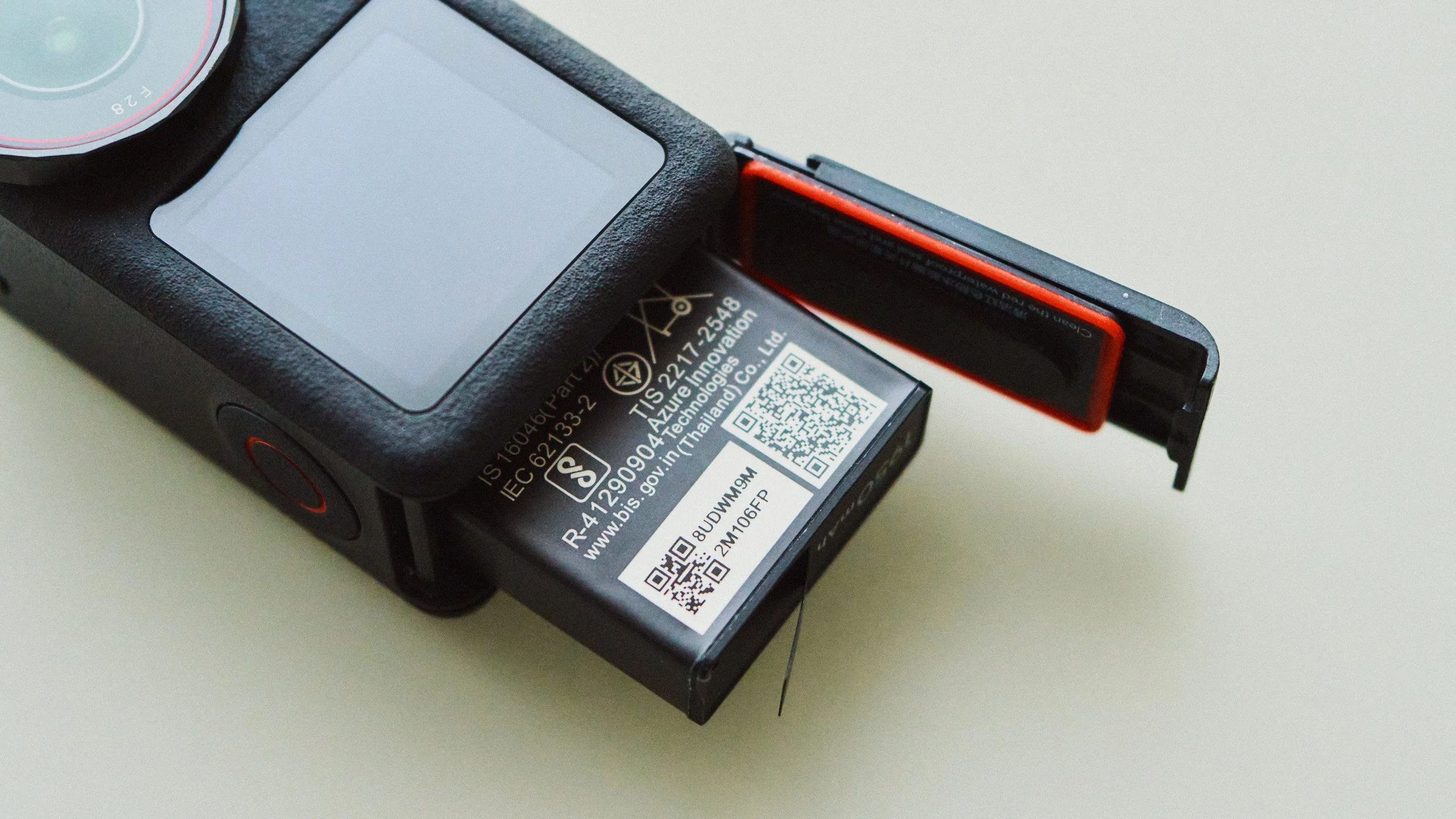
Both have good battery life and both can recharge via USB-C very quickly. The biggest difference is the Action 5 has replaceable batteries, which is great for longer takes if you don’t have time to charge. The Pocket 3 has a built-in battery that can’t be swapped out; however, it recharges incredibly fast via USB-C and has never given me any issues.

Why Get The DJI Pocket 3?
If you primarily make YouTube videos, vlogs, or document your life, then the Pocket 3 is perfect. It has all the features you’d need, and for me, it has been a game-changer when it comes to making my YouTube videos while travelling.
Why Get the DJI Action 5?
If you primarily want to document your sports, film underwater, or mount it to your chest, car, bike, and so on, then this is a better option.
Why Get Both?
I own both and find that between them, they complement each other and cover every scenario I might encounter when travelling. They also serve as backup devices for each other should the worst happen to one of them.


















Instead of telling you how these will change your life, I would rather be practical and answer the most common questions that people tend to have when buying presets.
What are presets?
They are editing settings that are saved in a file and can be applied to any image.
Why do people buy presets?
Sometimes because they like the work of the photographer and want that style for their own photos. Mostly because they would like to see how other people edit and learn by reverse engineering the presets. Other times it’s just to support their favourite photographers, thank you!
What’s the overall style of these presets?
- Filmic
- Warm
- Soft
- Bright
What are these presets suitable for?
Street & Travel Photography
Some Nature (with further editing)
Some Portraits (with extensive editing)
Do I actually use these?
Yes. This is the same pack I use right now for all my editing. This isn’t a pack made just to sell.
Do these presets get updated?
Yes, as my style changes, these presets will also be updated. Any time a new update is available, you will get a free update via email. Of course you also keep all the old presets in case you prefer the older looks. Only presets purchased from 2025 onwards will receive the updates.
What file types are these presets for?
- All RAW files
- JPEGs & TIFFs (not recommended)
What camera brands are these presets for?
These were designed around Fujifilm, Sony, and Leica sensors. With that said, they will work with all camera brands. While there might be differences due to individual camera colour science, the overall feel of the preset will carry over.
Will these work with JPEG files?
Yes, but you will need to reduce the intensity and make further edits. I strongly recommend editing RAW files.
Are these one click edits?
95% No. You would need to do some basic adjustments as each image is different. These adjustments can include exposure, colour balance etc. In 5% of cases you can just apply and leave it alone.
Do I need to know how to edit?
You need to have a basic understanding of adjusting exposure, highlights, shadows, etc. A more comprehensive editing skillset will let you get the most out of them.
How many presets are included?
10 in the main pack and 24 in the extras pack
Why two packs?
The main pack is what I use for 99% of my edits and is kept small to reduce wasted time scrolling through presets. The extras pack is everything I don’t use often.
What software do I need?
These presets will work with any of the following:
- Photoshop (adobe camera raw)
- Lightroom Classic
- Lightroom Desktop
- Lightroom Mobile
Will these presets work with free versions of the above software?
You need to research and double check before buying. These presets were designed for the full paid versions.
Will these presets work with very old versions of the above software?
You need to research and double check before buying. These presets were designed on and for the latest software.
What file type do I get?
XMP
What else do I get?
- Comprehensive PDF guide
Can I modify these and turn them into my own?
Yes! In fact I encourage you to modify them and play around. Use these to help you get your own style.
I have more questions…. What do I do?
Make a cup of tea and drop me an email on hello@snapsbyfox.com
Please note that due to the nature of digital products, refunds are generally not accepted. However, if you experience any issues, feel free to contact me and I’ll review your situation individually. You are welcome to use this product for personal or commercial projects, but you may not copy, distribute, or resell the files in their original or modified form.
Finally I want to say a massive thank you for supporting me. Buying these presets is the most direct way you can support my work.
Thank you!