
One Week In Andalusia Travel Guide
In this blog, I will share the perfect week-long trip plan for Andalusia, Spain. I will cover everything from where to stay, the best times to visit, and some great day trip ideas too. If you're looking for a guide on how to visit Andalusia, this one is for you.

Why Andalusia
Andalusia is a sizeable region in southern Spain that has a lot to offer, from wonderful beaches, hikes, nature, and history, to photogenic towns you can explore with a camera. You can enjoy amazing weather year-round with almost guaranteed sunshine. It’s easy to reach from anywhere in the world via Malaga airport, and if you're coming from the UK, you can fly into Gibraltar, adding another destination to your trip. You can read the Gibraltar guide here. Lastly, if you want to extend your trip, you can easily reach Morocco via a ferry from Tarifa.

When to Visit
The only season I would avoid is summer, specifically July to August. During these months, everywhere is crowded, overpriced, and the heat can be unbearable for some. I personally recommend visiting in September to October if you want warm weather and fewer crowds. That said, the winter months are ideal for mild weather and amazing light for photography.

How Long to Stay
This is a tricky one because you could easily spend a year exploring every nook and cranny of the region. If you want to get a good taste of the main spots, one full week will suffice. However, one week will be tight and busy. If you can stretch your trip to 10 days, you'll have some downtime in the middle and a buffer day in case of any delays.

Where to Stay
This depends on how you plan to get around. If you'll rely on public transport, Malaga is the best place to stay because it’s a travel hub. If you have a car, I would suggest Marbella, which is quieter and more pleasant, in my opinion. Another option is to stay in each location for one night rather than having a base. This will save you commuting time, but could be more expensive and tiresome unless you're travelling light.

Getting Around
There are four main ways to get around. Within the cities, taxis can offer good value, but if you're travelling further afield, they can be costly. The bus and train networks are fantastic, with buses running every 30 minutes or so between popular destinations, and fast trains covering most areas. That said, if you’re on a tight schedule, I suggest renting a car at the airport. Driving is often quicker than using public transport, and it gives you flexibility. Plus, there are plenty of interesting places to stop along the way. I use an app called Trainline for booking trains, and for buses, you'll need Alsa or Avanza. For car hire, any of the mainstream providers will suffice.

Photography
I found photography in Andalusia to be a joy, with plenty of beautiful scenes and varied subjects. Like in many European cities, people generally don't like cameras pointed at them, so if you're into street photography, be mindful of this or adapt your approach. In general, I had no issues photographing scenes, even with people in them. As for lenses, I found a 35mm prime and a 24-70mm zoom to be the best choices.

Malaga
Malaga is the hub of the region and most likely the first place you'll explore due to its proximity to the airport. There are two main areas to visit: the beach and the old town. I suggest starting in the old town and visiting Alcazaba, a historic fortress with Islamic heritage. Not only does it provide a glimpse into Islamic architecture, but it also offers fantastic views of the city and the sea. I recommend going as early as possible to avoid crowds.


Once you're done, get lost in the old town, exploring the museums, cathedrals, and small streets. Although it may seem like there’s a lot to do, you can easily cover most of it in five hours at a leisurely pace. To end the day, take a sunset walk along the beach.


Marbella & Estepona
Marbella is a quieter, more expensive town. Unlike Malaga, Marbella stretches along the coastline. I suggest starting in the old town and exploring early in the morning. Afterwards, take a walk along the coast for access to great beaches, perfect for cooling off.


Another part of Marbella is Puerto Banús. However, unless you're into designer clothes, overpriced food/drink, and spotting supercars, it’s best avoided. Instead, I recommend taking a bus or driving down to Estepona, a calm little town just a stone’s throw from Marbella. Estepona offers a wonderful beach and a charming old town to explore and photograph.


Seville
Now we’re getting to the more interesting stops, starting with Seville. Known for its stunning architecture and beautiful light, there’s plenty to see and photograph here. Start with the Setas de Sevilla, an impressive piece of modern architecture that also offers a nice view of the city.


From there, head to Plaza de España and explore the surrounding area, including the expansive gardens. Once you're finished, wander back into the old town and get lost in the narrow streets with your camera.


While you’re in the old town, pop into Real Alcazar.


Granada
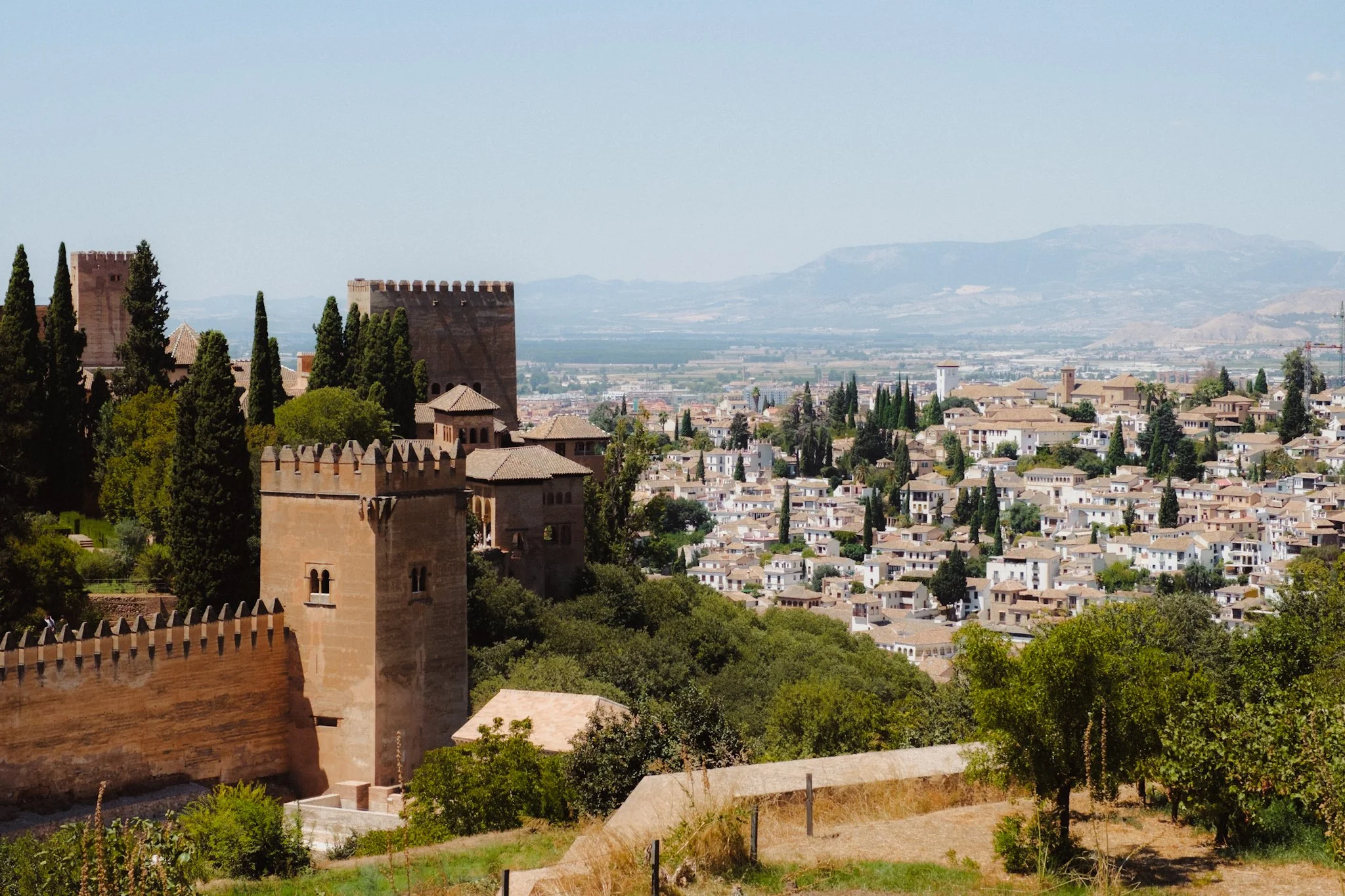
Granada has much to offer, but if I could only do one thing, it would be visiting the Alhambra, a fortress complex and UNESCO World Heritage Site. The only drawback is the somewhat laborious process of getting in. First, you must go to the main ticket office with some form of ID. Even though it wasn’t too busy when we visited, it still took nearly two hours to get in. Despite the hassle, it was well worth it. Afterwards don’t forget to go for a walk around town too.


Cordoba
Of all the larger towns, Cordoba was my favourite. Start with the Mosque-Cathedral of Cordoba, one of the most unique and mesmerising places I’ve ever visited. Go early, as it can get VERY busy.


Afterwards, explore the Jewish Quarter and the small streets of the old town.


Nerja
The last stop is Nerja, a small seaside town that was by far our favourite stop on this trip. From its quiet streets to its beautiful beaches and stunning views of the coastline, Nerja is a delight. There isn’t anything specific you need to do here—just walk around, swim, and enjoy the peaceful atmosphere.




















Instead of telling you how these will change your life, I would rather be practical and answer the most common questions that people tend to have when buying presets.
What are presets?
They are editing settings that are saved in a file and can be applied to any image.
Why do people buy presets?
Sometimes because they like the work of the photographer and want that style for their own photos. Mostly because they would like to see how other people edit and learn by reverse engineering the presets. Other times it’s just to support their favourite photographers, thank you!
What’s the overall style of these presets?
- Filmic
- Warm
- Soft
- Bright
What are these presets suitable for?
Street & Travel Photography
Some Nature (with further editing)
Some Portraits (with extensive editing)
Do I actually use these?
Yes. This is the same pack I use right now for all my editing. This isn’t a pack made just to sell.
Do these presets get updated?
Yes, as my style changes, these presets will also be updated. Any time a new update is available, you will get a free update via email. Of course you also keep all the old presets in case you prefer the older looks. Only presets purchased from 2025 onwards will receive the updates.
What file types are these presets for?
- All RAW files
- JPEGs & TIFFs (not recommended)
What camera brands are these presets for?
These were designed around Fujifilm, Sony, and Leica sensors. With that said, they will work with all camera brands. While there might be differences due to individual camera colour science, the overall feel of the preset will carry over.
Will these work with JPEG files?
Yes, but you will need to reduce the intensity and make further edits. I strongly recommend editing RAW files.
Are these one click edits?
95% No. You would need to do some basic adjustments as each image is different. These adjustments can include exposure, colour balance etc. In 5% of cases you can just apply and leave it alone.
Do I need to know how to edit?
You need to have a basic understanding of adjusting exposure, highlights, shadows, etc. A more comprehensive editing skillset will let you get the most out of them.
How many presets are included?
10 in the main pack and 24 in the extras pack
Why two packs?
The main pack is what I use for 99% of my edits and is kept small to reduce wasted time scrolling through presets. The extras pack is everything I don’t use often.
What software do I need?
These presets will work with any of the following:
- Photoshop (adobe camera raw)
- Lightroom Classic
- Lightroom Desktop
- Lightroom Mobile
Will these presets work with free versions of the above software?
You need to research and double check before buying. These presets were designed for the full paid versions.
Will these presets work with very old versions of the above software?
You need to research and double check before buying. These presets were designed on and for the latest software.
What file type do I get?
XMP
What else do I get?
- Comprehensive PDF guide
Can I modify these and turn them into my own?
Yes! In fact I encourage you to modify them and play around. Use these to help you get your own style.
I have more questions…. What do I do?
Make a cup of tea and drop me an email on hello@snapsbyfox.com
Please note that due to the nature of digital products, refunds are generally not accepted. However, if you experience any issues, feel free to contact me and I’ll review your situation individually. You are welcome to use this product for personal or commercial projects, but you may not copy, distribute, or resell the files in their original or modified form.
Finally I want to say a massive thank you for supporting me. Buying these presets is the most direct way you can support my work.
Thank you!