
My Photography Settings (2026)
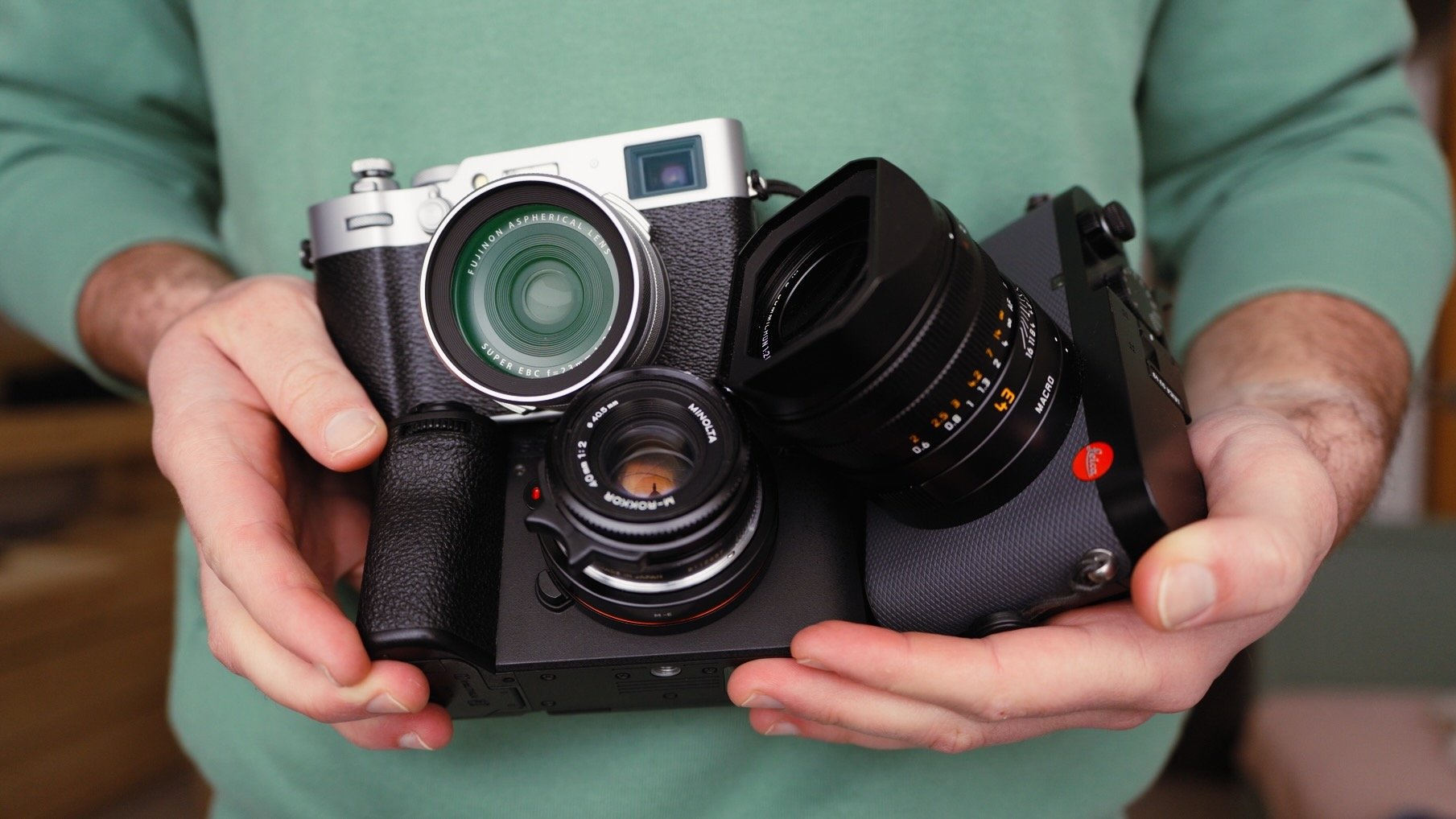
In this blog I will share my approach to camera settings. It’s been a long time since I last talked about it, and a few things have changed. What I will share is a holistic approach and is not camera or brand specific. If I share something niche I will be sure to make it clear. Finally, these settings are based around my photography which is street and travel, however 90% of what I share can carry over to other genres too.
The Important Bit
Before getting into details, I want to make it very clear that there are no ‘correct’ camera settings. What’s ‘best’ for me might not work for you. I recommend reading this blog, trying out the ideas here, keeping what makes sense, and ignoring everything else. Ultimately, your goal is to set up the camera in such a way that it becomes an extension of you. Unless you enjoy playing with cameras, the aim here is for the camera to get out of your way when shooting. The best camera settings are those that get you the results you want, while not distracting you from shooting.
Basics
There are a few basics we need to address. The first thing I do is enable RAW shooting while turning off all JPEG related features. I have nothing against JPEGs, but I like to edit my photos and want to retain as much information as possible. I also suggest turning off any feature related to JPEGs because on some cameras they can impact RAW files too. For example, dynamic range settings can raise base ISO levels even in RAW shooting. I will also switch off all sharpening and noise reduction settings.
I then switch off all sounds and lights emitted by the camera. I’m talking about tally lights, focus lights, shutter sounds, AF sounds, menu items, etc. The camera must be silent and free from any lights. The last thing I want is to distract my subject or attract unwanted attention when shooting.
The last thing I will do is enable a performance mode if the camera has one, and extend the operating times. I would rather carry a few extra batteries but have a camera that is always on and is in the best performance mode possible.
Custom Buttons
Custom buttons are unique to cameras, however as I look across the different brands I use, there are some which are assigned to each one:
AEL - this locks the exposure when shooting in any mode that’s not manual. This is used for exposing a specific part of the image, and then recomposing. I use this a lot for creative exposures such as the harsh light / shadow look. This also stops the exposure from fluctuating as things in your scene change.
AFL - this locks the focus and is the primary way I focus and recompose. Most of the time I am shooting in some form of continuous autofocus, so this allows me to lock, change composition, and wait for the right subject.
AF Modes - I always have a button assigned to changing the AF mode I am using. Specifically I mean changing between a tiny focus spot, to a larger area. This is essential when shooting in dynamic environments where the subjects, and scenes always change.
Silent mode - the last essential custom button shuts the camera up. Unless you’re reading this in 2036, and all cameras have global shutters, your camera will make a sound when you take a photo. Some are louder than others, and this doesn’t apply to cameras that use near silent leaf shutters. Silent shutter simply means an electronic shutter, which is silent. This helps a lot when shooting in quiet locations, or when you don’t want to disturb your subject.
Exposure Modes
There are four primary modes I use. Here’s the breakdown of when and why:
Aperture Priority - By far my most used mode and is what I default to all the time. Deciding what’s in and out of focus is a huge creative decision that will alter how the photo is perceived. Shooting at f/11 vs f/1.4 can create two images that are worlds apart.
Shutter priority - In recent years I started using this mode a lot more, both creatively, and for low light situations. I use it for slow shutter speed style photography that’s more abstract in nature. I also use it for low light photography, because in most cases the aperture will already be wide open, and when shooting at lower shutter speeds, even one stop of adjustment can make a huge difference, thus I’d rather retain control. Finally I shoot in this mode any time I need a specific shutter speed to ensure a particular result, such as freezing motion.
Auto - I don’t often shoot in auto, however there are times when I don’t want to think, and just snap away. This is usually when I am not actively out to take photos, and happen to have a camera on me.
Manual - I honestly can’t remember the last time I used full manual. I feel that shooting manual is more about the enjoyment of the process, and it’s not something I care for. With that said, there are times where manual makes sense. If you’re on a tripod shooting landscapes or architecture, and have ample time, then manual makes sense.
Exposure Values & Metering
Before getting into my two most used modes, let me cover exposure values and metering, as it impacts everything going forward. I only use three types of metering modes:
Multi - takes an even exposure of the whole scene, and is the mode I spend most of my time in.
Centre - prioritises exposure for what’s in the middle of the scene. Great for shooting out of cars, windows, or through things.
Spot - exposes for a tiny part of the scene, usually where the focus point is. It’s very harsh and abrupt, however is the perfect setting for creating abstract highlight and shadow style photos.
As for general exposure I try to keep it simple as follows:
Sunny - keep around 0 but move up or down by 0.3 depending on how it looks. Strong even sunlight can look good with a slight exposure boost. Higher contrast areas may benefit from a slight drop in exposure. This is also very dependant on the sensor.
Cloudy - overexpose by around 0.3 to 1. Cameras tend to underexpose overcast light, plus you want to ensure clean detail in the shadows, and less importance is placed on preserving every shade of grey in the sky. This also applies to fog and snow.
Low light - when shooting at night, I tend to underexpose by around (-1). Cameras almost always overexpose night scenes, and it’s very easy to blow out highlights.
Aperture Priority
Now let’s look at aperture priority, my most used photography mode. Before going into aperture values, we need to make sure the ISO and shutter speed adjustments behave as we want. Most cameras will have a section where you can set minimum and maximum values for ISO as well as minimum shutter speed. I set the minimum ISO to the lowest number possible, and the max is set to 12800. I have no issue with high ISO because I’d rather ensure a healthy shutter speed, than worrying about a little noise. These days noise reduction software is so good, that high ISO is no longer a concern.
The minimum shutter speed would depend on my application. For most shooting scenarios 1/250 is plenty. If shooting in low light, I will drop it to 1/125. If shooting with longer lenses or you’re in a fast paced environment, I would increase it to 1/500 or even 1/1000 in some scenarios. Whatever shutter speed you set, it’s important to know that many cameras don’t respect this setting when pushed to the limit. Cameras will override this setting if they feel more exposure is needed and ISO is maxed out. This is why for scenarios where shutter speed is important, I don’t use aperture priority, but more on this later.
Now let’s look at aperture values, and I typically place them in groups:
f/1.4 - f/2 - I use these values when shooting in low light or when I need the most out of focus backgrounds or foregrounds. Lenses also tend to be optically softest when shooting wide open, so this is the aperture I would pick for the softest possible image. The only two caveats are taste and light. When shooting that wide open, you let in a lot of light, so on a sunny day you might need an ND filter to help. More importantly, blowing everything out of focus can get boring quite quickly, so use it selectively.
f/2.8 - f/5.6 - I spend considerable time in this range. There is enough in focus to give context, yet some parts are soft enough to give depth. I use this when I want the viewer’s attention on a specific part of the scene, with the other elements falling slightly out of focus.
f/8 - f/11 - I also spend a huge chunk of time shooting in this range. This is my setting for times when I want everything in focus. It’s perfect for street photography, landscapes, and architecture. At f/11, everything from about 2.5m to infinity will be in focus, making it a great aperture for capturing everything.
f/16 and above - I avoid this area unless I need to block as much light as possible. The image tends to fall apart due to diffraction, and the autofocus isn’t as effective. I can’t remember the last time I used this aperture value.
Camera Guides & Book
If you’re finding this blog helpful, may I suggest checking out my detailed camera guides for Fuji, Ricoh, Leica, iPhone, and soon Sony cameras. You can find them here. Furthermore, if you want to learn more, I published a book covering everything I know about photography that you can check out here. All these products come with free lifetime updates and ensure my blogs stay ad and subscription free.
Shutter Priority
I shoot in shutter priority mode when I want to get creative with slow shutter speeds, intentionally freeze motion, or shooting in low light. The first two are self explanatory, so let me expand on shooting in low light. Typically when shooting at night, I am already at the lowest possible aperture, which renders that adjustment ‘locked’. As mentioned earlier, many cameras ignore your minimum shutter speed settings, meaning that you might find yourself in a very low shutter speed when you don’t want to, resulting in blurry photos. By locking the camera in 1/125 for example, you know for sure that it won’t move. Below are my typical shutter speeds:
1/8 - Intentional camera movements and abstract photos
1/30 - adding visible motion to moving subjects
1/125 - typical low light setting
1/250 - typical day setting
1/500 - most things frozen
1/1000 - everything frozen
1/2000+ - extreme scenarios such as tele lenses and fast moving subjects
Focusing
Finally let’s cover focusing. This is a needlessly complicated topic that I think is actually pretty simple once you have a few basics in place:
AFS - This stands for single autofocus, meaning once focus is acquired, it’s locked. I use it for still life photography or if the scene doesn’t have much motion. It’s accurate and reliable.
AFC - This stands for continuous autofocus, meaning the camera will always re-adjust the focus to keep whatever the focus point is on, in focus. I use it for more dynamic scenarios where the subject or me are moving around. I tend to spend most of my time in this mode given my approach to photography.
AFL - I already mentioned this, but autofocus lock is a feature I use in conjunction with AFC to lock the focus when I need to.
Tracking - I only use this on Sony cameras due to how well it’s implemented. This means that the camera will track whatever the focus point is on, when a custom button is pressed. If the system is good, it can be used instead of focus and recompose.
Zone / Flexi - This is a large focus area full of small focus spots, great for when you don’t need to, or have the time to be precise. Lower accuracy but higher hit rate. You pick the area, and the camera does the rest.
Spot - This is a tiny square that can be moved around. The camera only focuses on where that tiny square sits. It’s slower with a higher chance of missed shots, but it’s also the most accurate.
Zone + AFC is the combination I use for run and gun photography when I am in a chaotic and busy place with many moving pieces. I also use this if I am moving, for example shooting from a car. It’s fast, and has the best hit rate.
Spot + AFS is the combination I use for precision and still life. It’s slow, but accurate if you have the time.
Finally there is manual focus which is what I only use when shooting reflections, abstract photos, or in difficult light when AF might struggle. I typically shoot with red focus peaking and a higher aperture value to reduce chances of misfocus.
Instead of telling you how these will change your life, I would rather be practical and answer the most common questions that people tend to have when buying presets.
What are presets?
They are editing settings that are saved in a file and can be applied to any image.
Why do people buy presets?
Sometimes because they like the work of the photographer and want that style for their own photos. Mostly because they would like to see how other people edit and learn by reverse engineering the presets. Other times it’s just to support their favourite photographers, thank you!
What’s the overall style of these presets?
- Filmic
- Warm
- Soft
- Bright
What are these presets suitable for?
Street & Travel Photography
Some Nature (with further editing)
Some Portraits (with extensive editing)
Do I actually use these?
Yes. This is the same pack I use right now for all my editing. This isn’t a pack made just to sell.
Do these presets get updated?
Yes, as my style changes, these presets will also be updated. Any time a new update is available, you will get a free update via email. Of course you also keep all the old presets in case you prefer the older looks. Only presets purchased from 2025 onwards will receive the updates.
What file types are these presets for?
- All RAW files
- JPEGs & TIFFs (not recommended)
What camera brands are these presets for?
These were designed around Fujifilm, Sony, and Leica sensors. With that said, they will work with all camera brands. While there might be differences due to individual camera colour science, the overall feel of the preset will carry over.
Will these work with JPEG files?
Yes, but you will need to reduce the intensity and make further edits. I strongly recommend editing RAW files.
Are these one click edits?
95% No. You would need to do some basic adjustments as each image is different. These adjustments can include exposure, colour balance etc. In 5% of cases you can just apply and leave it alone.
Do I need to know how to edit?
You need to have a basic understanding of adjusting exposure, highlights, shadows, etc. A more comprehensive editing skillset will let you get the most out of them.
How many presets are included?
10 in the main pack and 24 in the extras pack
Why two packs?
The main pack is what I use for 99% of my edits and is kept small to reduce wasted time scrolling through presets. The extras pack is everything I don’t use often.
What software do I need?
These presets will work with any of the following:
- Photoshop (adobe camera raw)
- Lightroom Classic
- Lightroom Desktop
- Lightroom Mobile
Will these presets work with free versions of the above software?
You need to research and double check before buying. These presets were designed for the full paid versions.
Will these presets work with very old versions of the above software?
You need to research and double check before buying. These presets were designed on and for the latest software.
What file type do I get?
XMP
What else do I get?
- Comprehensive PDF guide
Can I modify these and turn them into my own?
Yes! In fact I encourage you to modify them and play around. Use these to help you get your own style.
I have more questions…. What do I do?
Make a cup of tea and drop me an email on hello@snapsbyfox.com
Please note that due to the nature of digital products, refunds are generally not accepted. However, if you experience any issues, feel free to contact me and I’ll review your situation individually. You are welcome to use this product for personal or commercial projects, but you may not copy, distribute, or resell the files in their original or modified form.
Finally I want to say a massive thank you for supporting me. Buying these presets is the most direct way you can support my work.
Thank you!