
Fujifilm X100VI vs Sony A7CII / A7CR
Over the last few years, small, compact cameras have become immensely popular. With more people getting into photography, and seasoned hobbyists becoming tired of bulky gear, small systems have exploded in sales. Now you have a plethora of options for every need and budget. I’ve been fortunate to own and extensively use many of them, and in this blog, I will be comparing the most popular offerings from two leading brands, Sony and Fujifilm. Specifically, I will be looking at the Fujifilm X100VI and Sony A7CII / A7CR.


For the purpose of this blog, I am treating the A7CII and A7CR as the same camera because, for the most part, the resolution of the sensor and price are what separate these two. Other than that, the cameras are totally identical, and this blog applies regardless of which model you’re looking at getting. The X100VI comes in normal and limited edition flavours. Any changes are superficial and are limited to a different logo and a fancy box.

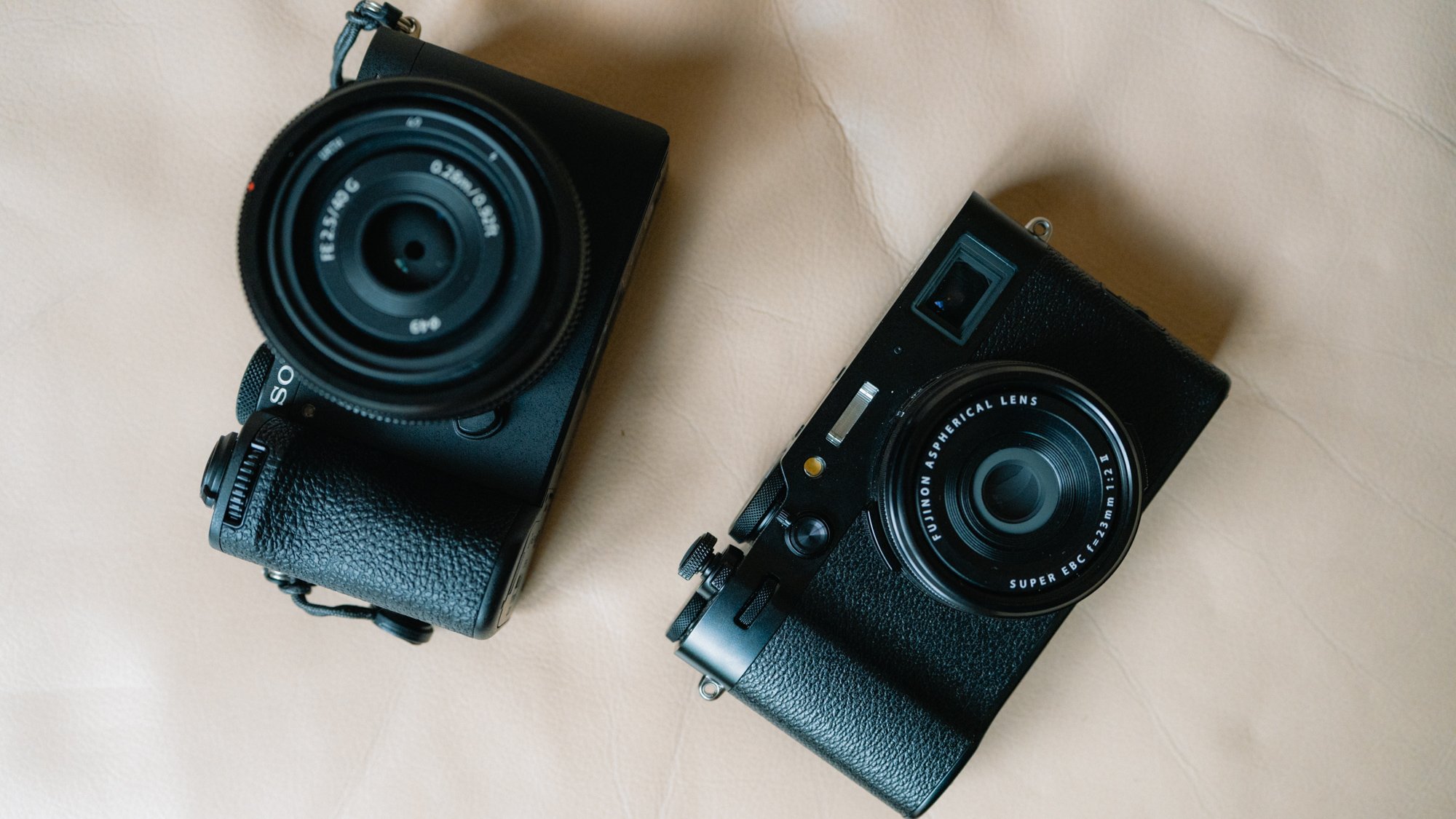
Key Similarities
Both have IBIS; however, Sony is better and much more advanced.
Both have weather sealing; however, Fuji needs an additional filter to seal the lens.
Both take a single SD card; however, Sony is UHSII for faster speeds.
Both have high-resolution sensors, allowing for cropping.
Both have decent build quality; however, neither feels premium.
Both have amazing image quality and dynamic range.

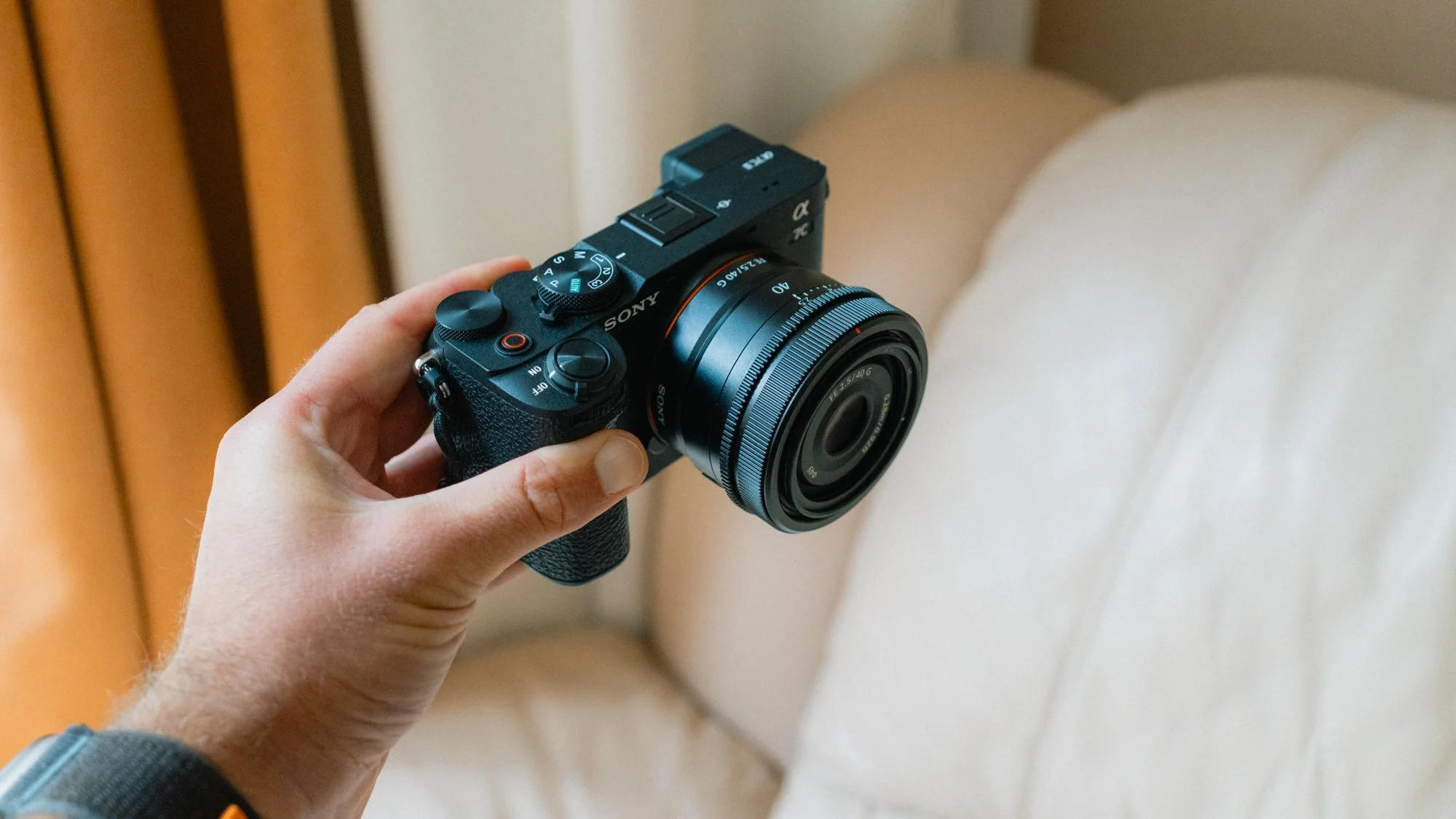
Key Differences
Sony is full-frame, while the Fuji has an APS-C sized sensor.
Sony is an interchangeable system, while the Fuji has a fixed 35mm lens.
The Fuji is more compact and lighter.
Fuji comes with a built-in flash and ND filter.
Fuji comes with a leaf shutter, making it quieter. The Sony shutter is very loud in comparison.
Fuji has better colours straight out of the camera. The Sony RAWs need more extensive editing.
Fuji has better-looking JPEGs.
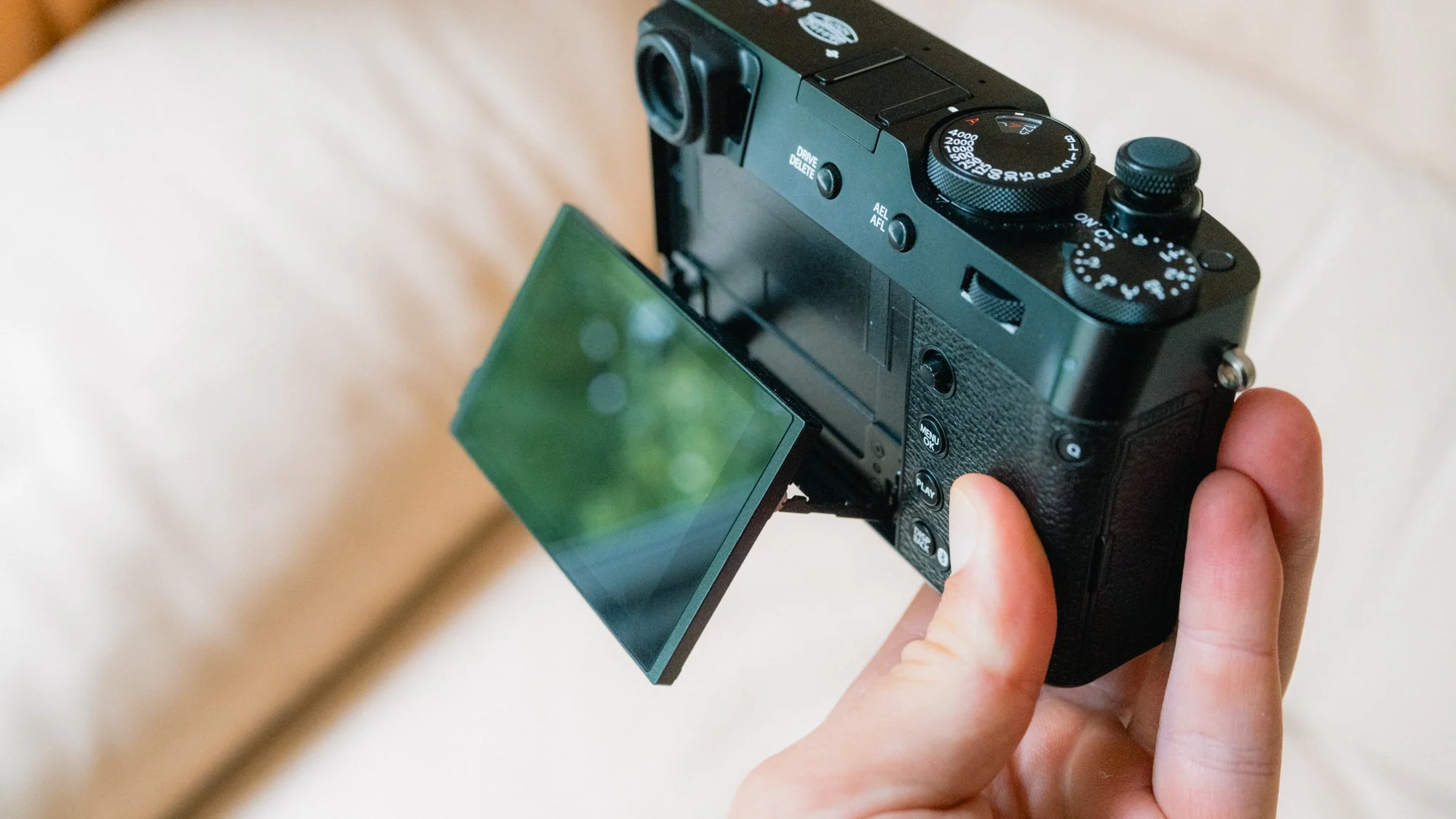
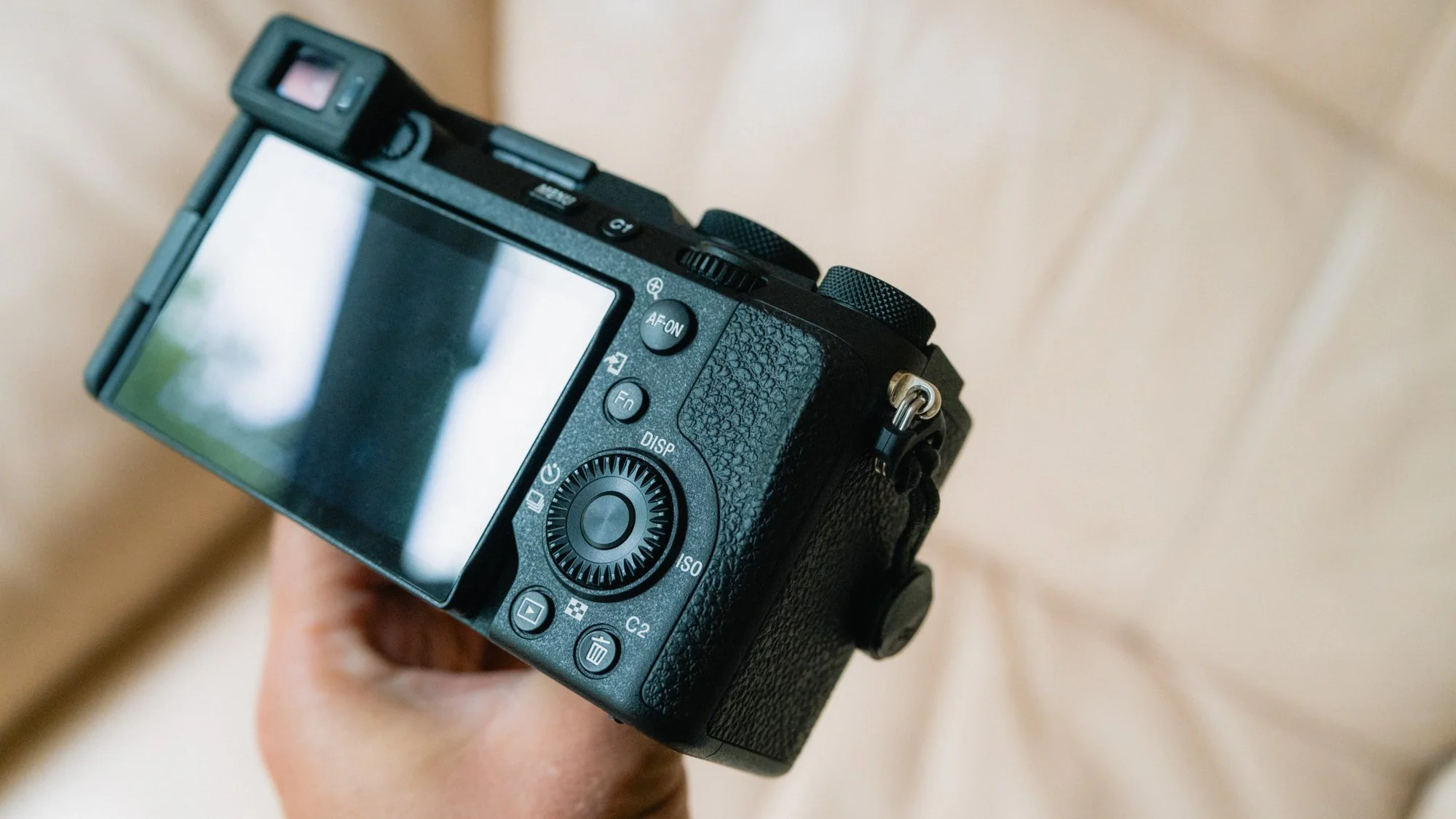
Fuji has a tilting screen, while the Sony is articulating. Tilting is better for those behind the camera. Articulating is better for filming yourself.
Fuji has worse battery life.
Fuji has an optical viewfinder, while Sony is digital only. The digital viewfinders are similar.
Fuji has a joystick, making it more intuitive than the Sony to move the focus point.
Sony autofocus is about ten years ahead of Fuji in terms of performance, accuracy, and speed.
Sony can be used as a dedicated video camera, while for Fuji, video is an afterthought. Every aspect of video is better in the Sony.
Fuji uses a more traditional top dial layout, while the Sony is more modern.
Sony has a bigger grip.
Sony has a multi-interface hot shoe, allowing for more accessories to be plugged in.
Sony is much more customisable.
Fuji is easier to learn and get going with.
Fuji looks better.
Sony feels like a professional tool designed to get the job done. Fuji feels like a camera build for enjoyment.



Why Pick The Fuji?
The Fuji appeals to more casual and minimalist shooters. It’s small, light, and aesthetically pleasing. It has plenty of resolution, a fast f/2 prime, and IBIS, making it great in all lighting conditions. The added ND and flash make it perfect for creative photography without needing to bring extra accessories. The straight-out-of-camera JPEGs are the best in the business, and even the RAWs need very little editing to look great. The Fuji is the perfect everyday carry camera and one I can recommend to almost everyone. It’s easy to learn, to use, and it gets you involved in the process of photography. From the top dials to how it feels in the hand, this is a camera you will want to hold and use all the time. While it has limitations, they are not the ones that will impact casual shooters. Where this camera falls down is in the performance category. The AF is very slow and unreliable for fast-paced action. The lack of UHS-II support means extended waiting for the buffer to clear. The battery doesn’t last very long, and if you want it weather-sealed, you need to buy an accessory.


Why Pick The Sony?
The Sony is vastly more advanced in many ways. The first and biggest reason for choosing the A7C is to be able to swap lenses. While this does make the system bigger, there are plenty of options out there that won’t increase the size too much. The second reason is the advanced autofocus capability. If you’re planning on shooting fast-moving subjects, people, sports, or wildlife, then this is the only choice. The next reason to go for the Sony is the full-frame sensor. While APS-C is more than good enough, the difference in low-light performance is astonishing. If you’re a pixel peeper, an image quality nerd, or simply want the best image, the Sony is your choice. Finally, I would pick the Sony if you will be doing a lot of video. While the X100 is capable, the Sony is just on another level in every aspect. The last reason to get the Sony is that it will fit into any future workflow. For now, you may have just the A7C and a small 40mm prime; however, if in the future you decide to get into photography seriously, you already have a system you can build from. With the X100VI, you’re locked in.



















Instead of telling you how these will change your life, I would rather be practical and answer the most common questions that people tend to have when buying presets.
What are presets?
They are editing settings that are saved in a file and can be applied to any image.
Why do people buy presets?
Sometimes because they like the work of the photographer and want that style for their own photos. Mostly because they would like to see how other people edit and learn by reverse engineering the presets. Other times it’s just to support their favourite photographers, thank you!
What’s the overall style of these presets?
- Filmic
- Warm
- Soft
- Bright
What are these presets suitable for?
Street & Travel Photography
Some Nature (with further editing)
Some Portraits (with extensive editing)
Do I actually use these?
Yes. This is the same pack I use right now for all my editing. This isn’t a pack made just to sell.
Do these presets get updated?
Yes, as my style changes, these presets will also be updated. Any time a new update is available, you will get a free update via email. Of course you also keep all the old presets in case you prefer the older looks. Only presets purchased from 2025 onwards will receive the updates.
What file types are these presets for?
- All RAW files
- JPEGs & TIFFs (not recommended)
What camera brands are these presets for?
These were designed around Fujifilm, Sony, and Leica sensors. With that said, they will work with all camera brands. While there might be differences due to individual camera colour science, the overall feel of the preset will carry over.
Will these work with JPEG files?
Yes, but you will need to reduce the intensity and make further edits. I strongly recommend editing RAW files.
Are these one click edits?
95% No. You would need to do some basic adjustments as each image is different. These adjustments can include exposure, colour balance etc. In 5% of cases you can just apply and leave it alone.
Do I need to know how to edit?
You need to have a basic understanding of adjusting exposure, highlights, shadows, etc. A more comprehensive editing skillset will let you get the most out of them.
How many presets are included?
10 in the main pack and 24 in the extras pack
Why two packs?
The main pack is what I use for 99% of my edits and is kept small to reduce wasted time scrolling through presets. The extras pack is everything I don’t use often.
What software do I need?
These presets will work with any of the following:
- Photoshop (adobe camera raw)
- Lightroom Classic
- Lightroom Desktop
- Lightroom Mobile
Will these presets work with free versions of the above software?
You need to research and double check before buying. These presets were designed for the full paid versions.
Will these presets work with very old versions of the above software?
You need to research and double check before buying. These presets were designed on and for the latest software.
What file type do I get?
XMP
What else do I get?
- Comprehensive PDF guide
Can I modify these and turn them into my own?
Yes! In fact I encourage you to modify them and play around. Use these to help you get your own style.
I have more questions…. What do I do?
Make a cup of tea and drop me an email on hello@snapsbyfox.com
Please note that due to the nature of digital products, refunds are generally not accepted. However, if you experience any issues, feel free to contact me and I’ll review your situation individually. You are welcome to use this product for personal or commercial projects, but you may not copy, distribute, or resell the files in their original or modified form.
Finally I want to say a massive thank you for supporting me. Buying these presets is the most direct way you can support my work.
Thank you!