
DJI Pocket 3 Long Term Review
It’s been just over 4 months since I got the DJI Pocket 3 and in this blog I will share my thoughts having used it almost daily as my main travel / YouTube / vlogging camera. This review will not cover every single feature and only focus on the ones I personally use.

Use Case
I got this camera with the intention of it being my main YouTube camera when I’m out and about or travelling. I use it to capture my travels and to make YouTube videos. In fact almost all my videos from the last few months have been shot on the Pocket 3 either partly or fully. Despite the camera having a ton of different features and modes, the main use case is basic video. From time to time I also take photos with it but that’s mostly for YouTube thumbnails. When it comes to video, I use it as a POV camera, give it to someone to film me or set it up on a tripod with one of the smart tracking modes to follow me around.

Ergonomics
If you use the camera without any grips or extensions and you have big hands, you will not like it. However if you either add the small extension or if you’re like me and have small hands, then the fit is great. The main selling point is just how small it is. It really does fit into your pocket and it means it’s always ready to go. There is minimal faff when it comes to switching it on and recording. Simply turn the screen to turn it on and hit record.

One annoying issue is the red record button can also turn the camera on. I’ve lost count of how many times the camera accidentally turned on in my pocket or bag. Nothing bad will happen if it does, just battery drain. Of course using the included case will remove this issue but it’s bulky. Other than that the ergonomics are great and this camera is a joy to use. The UI is very intuitive, smooth and responsive while the screen is large and easy to see / use.

The battery is insane. It can easily last an entire day and when you need a charge, it will do so quicker than anything you’ve seen. I’d plug it in when the battery is at 40%, have coffee and by the time I’m done, the charge sits at around 90%.

If I could fix one thing, it would be to add a tripod screw mount into the actual body without requiring an extension.
Build Quality & Reliability
Some people seem to have had many issues with their Pocket 3 however I haven’t experienced anything too drastic. I did have an issue where the gimbal got sticky when going to sleep / waking up. When switching the camera on, the gimbal got stuck in the closed position and needed a little push to get it open. Once open I had no issues. Same when going to sleep, the gimbal got stuck just before going into the sleep position and needed some help. This happened around a month into ownership however has resolved itself and everything is fine now. Other than that I had no issues.

I do have two major concerns. Firstly this camera is not weather sealed at all. Even the MicroSD card slot is fully exposed. For many people this isn’t an issue, however it has stopped me filming a few times. Secondly the camera does seem a little brittle. You certainly wouldn’t want to drop it head first. With that said, I did get it wet in the rain and I did drop it once. Both times it was ok. Finally it’s worth mentioning that there are regular firmware updates that add features and remove bugs.
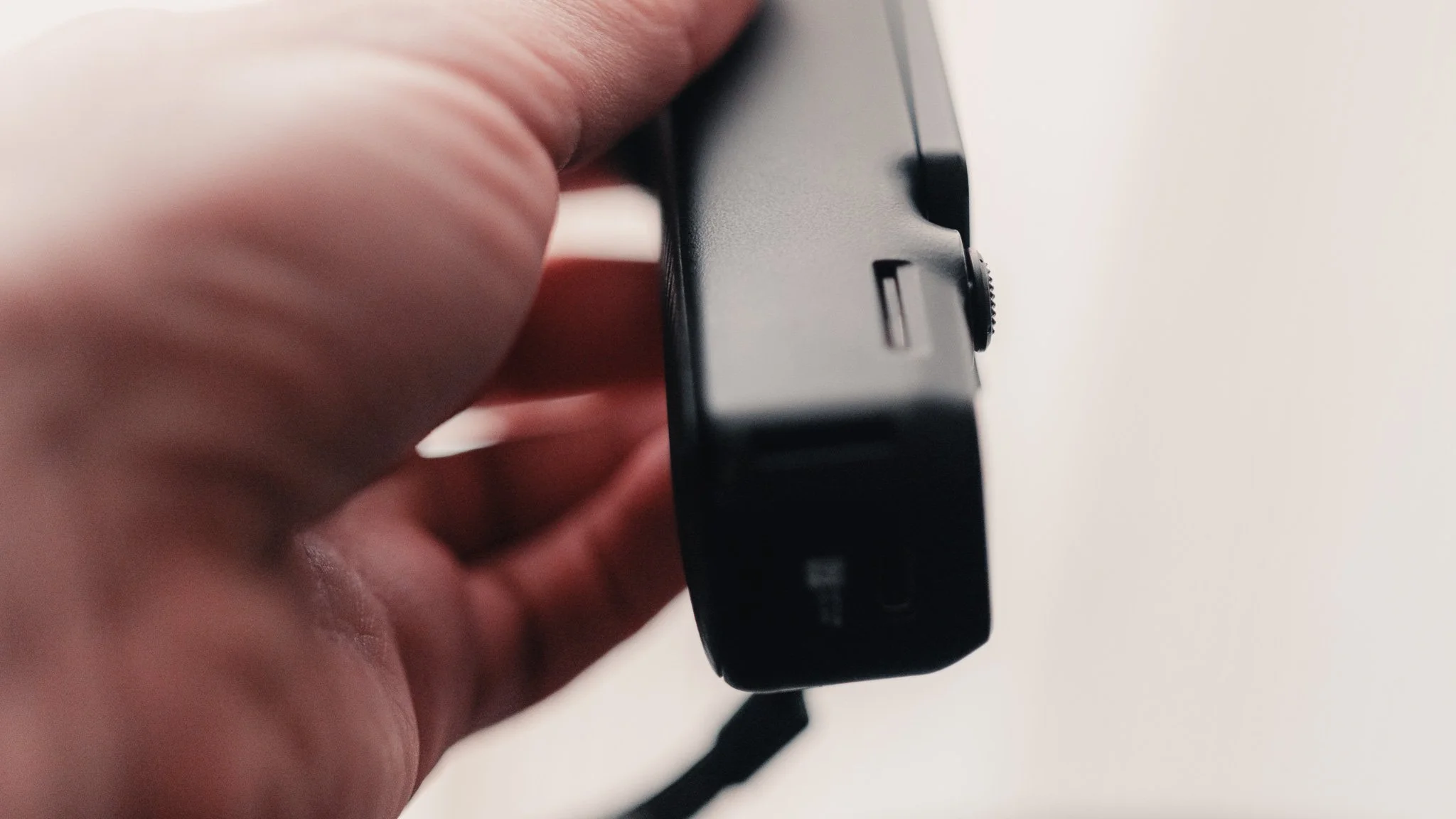
Image Quality
The biggest surprise with this camera is the image quality. It has a 1 inch sensor which does lend itself to more background blur and better low light, however I wasn’t expecting anything as good as this. The dynamic range will never be as good as a ‘proper’ camera however it’s better than anything else pocketable I used. If shooting In DLOG, you get a lot of room for grading and correcting. When it comes to photography, I only used it for thumbnails and the results speak for themselves. I’m not a technical person so rather than bore you with copy & paste specs, below are screenshots from video footage and some photos too.


Sound Quality
The sound quality form the built in mics is great but it does need to be fine tuned depending on the use case. Also if you got the creator combo or own the DJI Mic 2, you can connect an external mic via bluetooth and record an internal backup track. The mic located at the front of the camera (facing you) is by far the best one which makes sense given this is a vlogging camera. The mics located on the back and the sides of the camera are not as good and are more suited to picking up ambient sound. Personally I switch off the side mics and only keep the front and back ones on. Most of my videos are filmed using the built in mic with the external one only being used for interviews or when I might be far away from the camera.
Features
Finally I want to mention a few standout features that I personally found extremely useful. The first feature tracks your face when you point the camera at yourself. This means that you don’t need to worry about making sure you’re in frame. Second feature allows you to tap on anything in the frame and have the camera follow it. Third feature I already covered but it deserves another mention. If you’re using an external mic, you can set the camera to record a backup audio track using the built in mics and store it as a separate audio file on the SD card. This has saved my ass twice. This camera has a ton more features that I barely covered here, however I don’t use them daily therefore I can’t comment.

Annoyances
There are some annoyances which I hope can be fixed with firmware updates. Sometimes when you switch the camera on, there is a noticeable delay between turning on and being able to record. Equally if you hit record too soon, it will not record anything or it will not indicate it’s recording. Sometimes when turning the camera on myself, it doesn’t pick up my face. To fix this issue I need to turn it back facing forward then on me again. Whenever you get notifications, they take up most of the screen. Although they can be useful, I wish there was a way to turn them off. Sometimes when you turn the camera off, it still stays on. Finally there is no way to tap and expose for a specific part of the scene. All these things are not major issues that would cause me to not use the camera, instead they are small annoyances that add up over time. All of these seem to be software related so I hope they can get resolved as I’m not the only one mentioning these.
Summary
This is an amazing piece of kit and no wonder why every YouTuber has one. However I would also recommend it for everyone wanting a hassle free way to document their life, family and travels. For 99% of people the normal package is enough and the creator combo is only for those who actually create professionally.
If you’re considering purchasing this item and use the affiliate links below, it will not cost you any extra however I will get a small % kickback which helps keep this blog ad free for you to enjoy.
Purchase here:


















Instead of telling you how these will change your life, I would rather be practical and answer the most common questions that people tend to have when buying presets.
What are presets?
They are editing settings that are saved in a file and can be applied to any image.
Why do people buy presets?
Sometimes because they like the work of the photographer and want that style for their own photos. Mostly because they would like to see how other people edit and learn by reverse engineering the presets. Other times it’s just to support their favourite photographers, thank you!
What’s the overall style of these presets?
- Filmic
- Warm
- Soft
- Bright
What are these presets suitable for?
Street & Travel Photography
Some Nature (with further editing)
Some Portraits (with extensive editing)
Do I actually use these?
Yes. This is the same pack I use right now for all my editing. This isn’t a pack made just to sell.
Do these presets get updated?
Yes, as my style changes, these presets will also be updated. Any time a new update is available, you will get a free update via email. Of course you also keep all the old presets in case you prefer the older looks. Only presets purchased from 2025 onwards will receive the updates.
What file types are these presets for?
- All RAW files
- JPEGs & TIFFs (not recommended)
What camera brands are these presets for?
These were designed around Fujifilm, Sony, and Leica sensors. With that said, they will work with all camera brands. While there might be differences due to individual camera colour science, the overall feel of the preset will carry over.
Will these work with JPEG files?
Yes, but you will need to reduce the intensity and make further edits. I strongly recommend editing RAW files.
Are these one click edits?
95% No. You would need to do some basic adjustments as each image is different. These adjustments can include exposure, colour balance etc. In 5% of cases you can just apply and leave it alone.
Do I need to know how to edit?
You need to have a basic understanding of adjusting exposure, highlights, shadows, etc. A more comprehensive editing skillset will let you get the most out of them.
How many presets are included?
10 in the main pack and 24 in the extras pack
Why two packs?
The main pack is what I use for 99% of my edits and is kept small to reduce wasted time scrolling through presets. The extras pack is everything I don’t use often.
What software do I need?
These presets will work with any of the following:
- Photoshop (adobe camera raw)
- Lightroom Classic
- Lightroom Desktop
- Lightroom Mobile
Will these presets work with free versions of the above software?
You need to research and double check before buying. These presets were designed for the full paid versions.
Will these presets work with very old versions of the above software?
You need to research and double check before buying. These presets were designed on and for the latest software.
What file type do I get?
XMP
What else do I get?
- Comprehensive PDF guide
Can I modify these and turn them into my own?
Yes! In fact I encourage you to modify them and play around. Use these to help you get your own style.
I have more questions…. What do I do?
Make a cup of tea and drop me an email on hello@snapsbyfox.com
Please note that due to the nature of digital products, refunds are generally not accepted. However, if you experience any issues, feel free to contact me and I’ll review your situation individually. You are welcome to use this product for personal or commercial projects, but you may not copy, distribute, or resell the files in their original or modified form.
Finally I want to say a massive thank you for supporting me. Buying these presets is the most direct way you can support my work.
Thank you!