
Things I Love & Hate About The Leica Q3 43
I’m now in my 4th month of Leica Q3 43 ownership, and in this blog, I will share some things that I love and hate about this camera. Love and hate are both strong words, which work great for titles; however, in reality, it’s more things I like and dislike. These are opinions based on my current experience, and in 12 months, they might change with more hands-on time and software updates.

Build Quality
The first and most obvious positive aspect is the build quality. The more I use it, the more I appreciate how well built this camera is. Aside from maybe a Hasselblad, nothing else comes close. The camera feels extremely solid, and every moving part feels extra premium. The buttons, dials, screen, and even the SD card door, everything feels like it was made with quality and longevity in mind. I also appreciate the IP water rating. While it doesn’t mean this camera can now go swimming, at least it gives some peace of mind knowing this was tested and certified to be exposed to some elements. Of course, all this is an expectation and not a pleasant surprise given the price tag.


Image Quality
The images that come out of this system are stunning. The sharpness, colour rendering, out-of-focus elements, and overall feel are great. It’s worth saying that all modern cameras are great, and by the time your photo is on the internet, many of the intricate differences would have been equalised.


Macro Mode
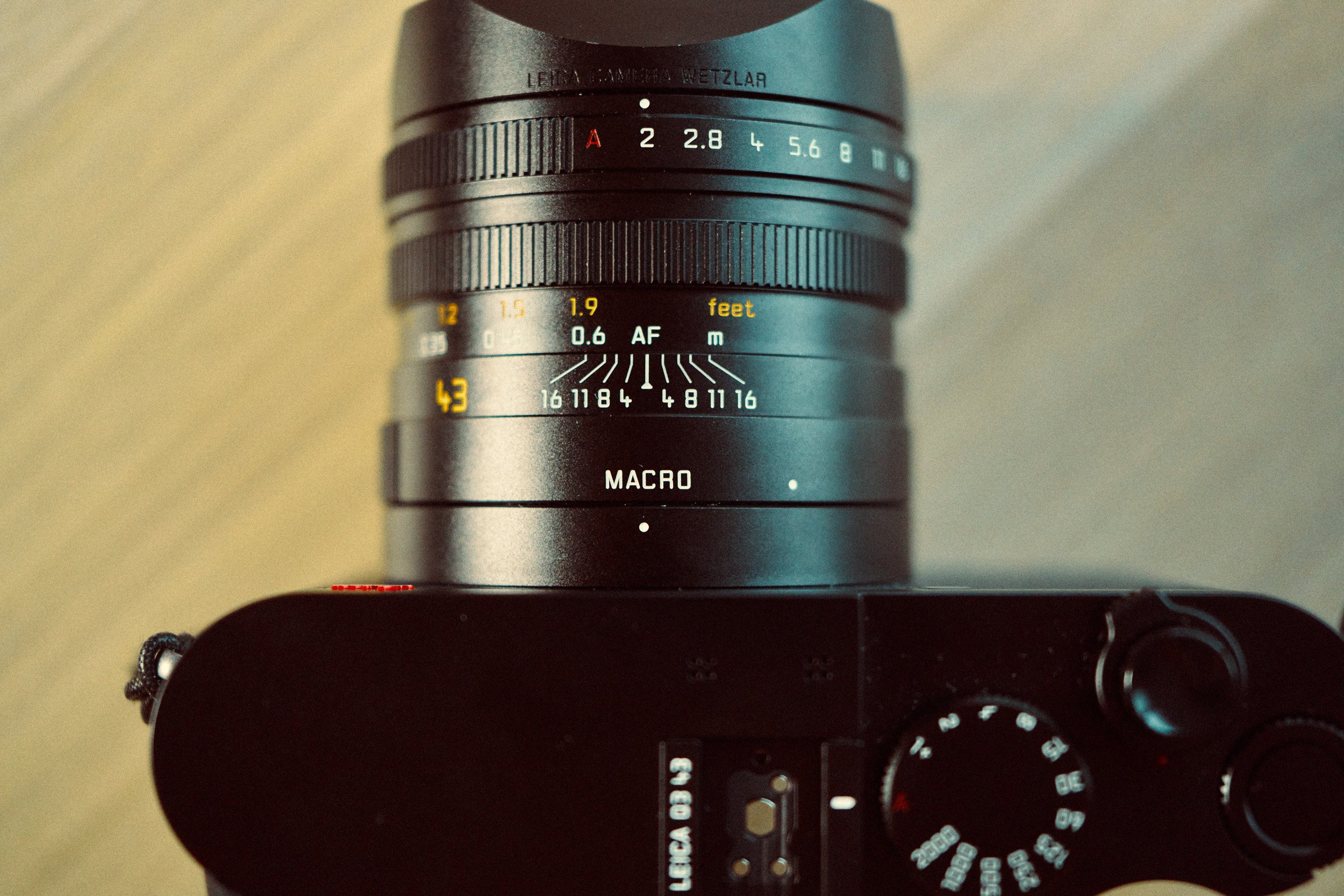
You can put the lens in Macro Mode and focus on objects much closer. Coupled with the 60MP sensor, you can get some amazing close-up details. At first, I thought I wouldn’t use this feature much, but I found myself using it every time I use the camera.


Saved Crops
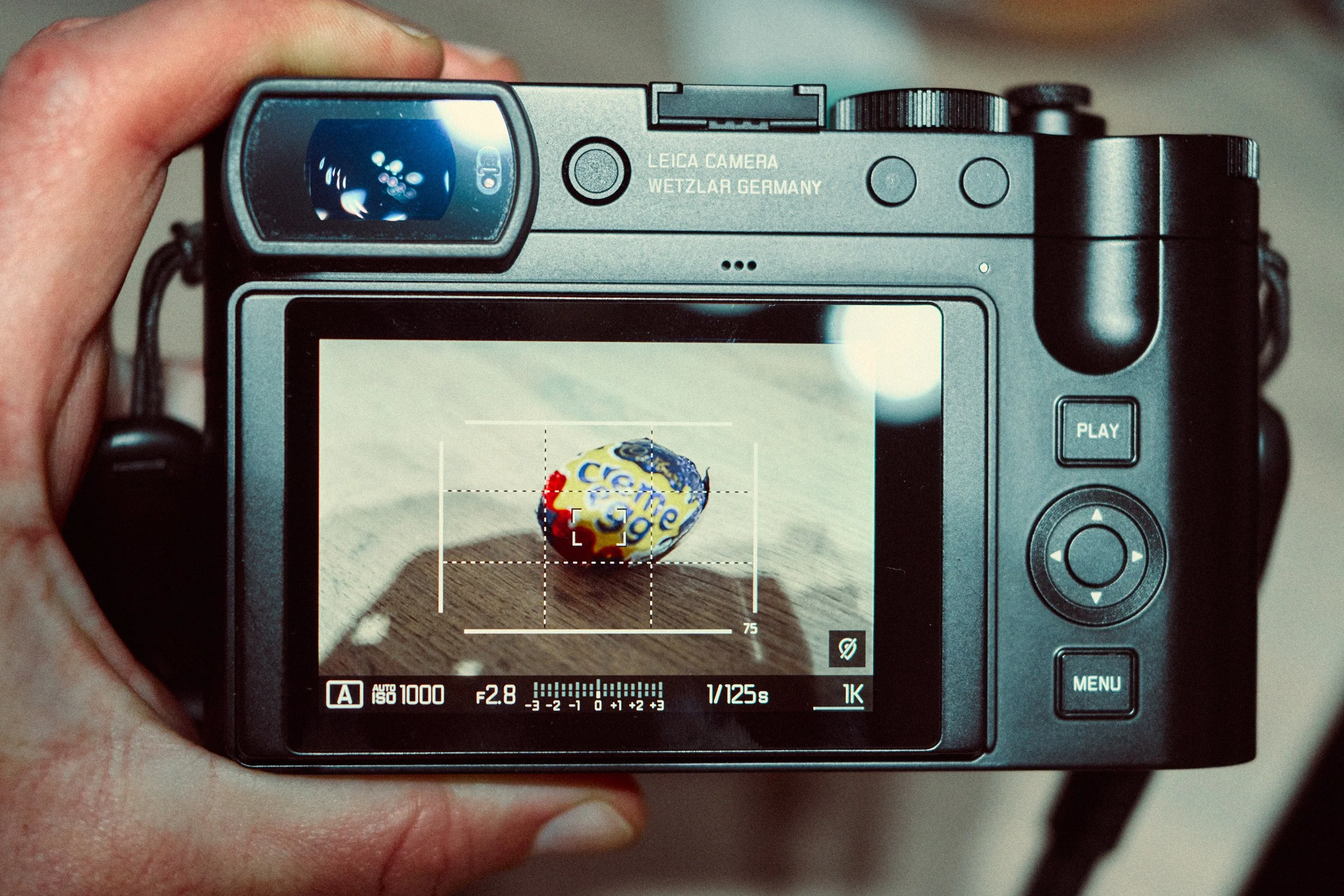
The camera has different crop modes that come up as framelines on the back of the screen. The beauty of this is the crop is saved in the RAW file when you import it into Lightroom. Meaning you don’t lose the full image nor are you left trying to remember the composition later. At first, I didn’t think this feature would be that beneficial to me, but as time went on, I ended up appreciating it more.

Manual Focus Experience
I really like the manual focus experience. While I am by no means a manual focusing expert, nor do I particularly spend much time focusing manually, I do find the Q3 to be the best and most intuitive system on any digital autofocus camera I have used. You can’t really compare it to any modern lenses. The only systems that have come close are some of the older Fuji lenses and the Hasselblad XCD V lenses. The damping is just right, the markings are a huge help, there are firm end points and the focus tab allows for easy zone focusing and remembering location in relation to distance. If you want the best manual focusing experience while still maintaining AF when needed, this is it.


Custom Buttons
In most cameras, you need to go through many deep menu systems to change what each custom button does. On the Q3, you simply press and hold the button to change the operation. What’s even better is you can modify the list of options for each button. This means that with a long press, you can easily switch between the most common operations for that button. Even though the Q3 doesn’t have many physical controls, this feature gives more usability to the few buttons it has.


No Focus Release Control
Every camera I’ve own has focus release priority. This allows you to tell the camera to only take a photo when focus has been confirmed. The Q3 does not have this function, meaning that even if the camera hasn’t acquired focus, it can still take the shot, resulting in an out-of-focus image. I’d like to think this is a simple software update, so I hope at some point it makes its way into the Q3. Under normal circumstances, this isn’t a big deal because you will wait for focus to acquire and then shoot, but if you’re taking photos in very bright conditions and can’t see the screen / use the viewfinder, you’re taking a gamble with regards to whether you have focus or not. This has only been an issue for me once every 500 or so shots, so it’s not a huge deal, but I’d love to see this feature in a future update.

Focus False Positives
As well as the previous point, I’ve experienced a few false positives. By this, I mean the camera has acquired and confirmed focus with a green point, yet the image is clearly out of focus. This doesn’t happen frequently, and I only experienced it a handful of times; however, it’s worth mentioning. I have found that the single point mode is most susceptible to this, while zone and field mode are more reliable.

Confusing Profile Mode
The camera comes with a range of custom profiles you can assign. Essentially, you save a particular camera configuration to a slot, and you can recall it later. While you do get 6 custom profiles, they are shared between photo and video. I initially assigned these 6 to utilise different creative looks; however, I quickly realised there was no space for video. If you save one slot as a video, it will override any photo settings that were present. Maybe I’m yet to find a streamlined way to use them. When I do, I will post a dedicated blog. For now, this is too deep of a topic to go into here; however, it took me a very long time and numerous camera resets to understand how it works (sort of). As it stands, I don’t use them at all other than as a way to back up my settings.

Lack of Clear Photo / Video Separation
Even though you have two distinct modes with their own custom buttons and menu systems, the physical controls carry over and can’t be disconnected like on every other hybrid camera. This means that while it’s very quick to switch from photo to video, you need to spend time re-adjusting the physical dials in order to get the preferred video settings. The same extends to the profiles that I already covered.

Inconsistent Operation
For most people (including me), this won’t be a deal breaker given the intended use of this camera; however, a couple of times it has resulted in missed shots. There seem to be inconsistencies with how long it takes the camera to switch on and how fast you can enter / exit the playback menu. If I haven’t used the camera for a few hours, switching it on can take up to 5 seconds from the moment you turn the switch to when you can take photos. If you switch it on after it’s recently already been on, then the time drops to 2 seconds or less. Sometimes it’s somewhere between 2 and 5. I suspect when I first turn it on, it’s the equivalent of switching on a PC, while when I turn it on after recent operation, it’s akin to waking up from sleep. Either way, this is something that needs to be taken into account to avoid missed shots and frustration.



















Instead of telling you how these will change your life, I would rather be practical and answer the most common questions that people tend to have when buying presets.
What are presets?
They are editing settings that are saved in a file and can be applied to any image.
Why do people buy presets?
Sometimes because they like the work of the photographer and want that style for their own photos. Mostly because they would like to see how other people edit and learn by reverse engineering the presets. Other times it’s just to support their favourite photographers, thank you!
What’s the overall style of these presets?
- Filmic
- Warm
- Soft
- Bright
What are these presets suitable for?
Street & Travel Photography
Some Nature (with further editing)
Some Portraits (with extensive editing)
Do I actually use these?
Yes. This is the same pack I use right now for all my editing. This isn’t a pack made just to sell.
Do these presets get updated?
Yes, as my style changes, these presets will also be updated. Any time a new update is available, you will get a free update via email. Of course you also keep all the old presets in case you prefer the older looks. Only presets purchased from 2025 onwards will receive the updates.
What file types are these presets for?
- All RAW files
- JPEGs & TIFFs (not recommended)
What camera brands are these presets for?
These were designed around Fujifilm, Sony, and Leica sensors. With that said, they will work with all camera brands. While there might be differences due to individual camera colour science, the overall feel of the preset will carry over.
Will these work with JPEG files?
Yes, but you will need to reduce the intensity and make further edits. I strongly recommend editing RAW files.
Are these one click edits?
95% No. You would need to do some basic adjustments as each image is different. These adjustments can include exposure, colour balance etc. In 5% of cases you can just apply and leave it alone.
Do I need to know how to edit?
You need to have a basic understanding of adjusting exposure, highlights, shadows, etc. A more comprehensive editing skillset will let you get the most out of them.
How many presets are included?
10 in the main pack and 24 in the extras pack
Why two packs?
The main pack is what I use for 99% of my edits and is kept small to reduce wasted time scrolling through presets. The extras pack is everything I don’t use often.
What software do I need?
These presets will work with any of the following:
- Photoshop (adobe camera raw)
- Lightroom Classic
- Lightroom Desktop
- Lightroom Mobile
Will these presets work with free versions of the above software?
You need to research and double check before buying. These presets were designed for the full paid versions.
Will these presets work with very old versions of the above software?
You need to research and double check before buying. These presets were designed on and for the latest software.
What file type do I get?
XMP
What else do I get?
- Comprehensive PDF guide
Can I modify these and turn them into my own?
Yes! In fact I encourage you to modify them and play around. Use these to help you get your own style.
I have more questions…. What do I do?
Make a cup of tea and drop me an email on hello@snapsbyfox.com
Please note that due to the nature of digital products, refunds are generally not accepted. However, if you experience any issues, feel free to contact me and I’ll review your situation individually. You are welcome to use this product for personal or commercial projects, but you may not copy, distribute, or resell the files in their original or modified form.
Finally I want to say a massive thank you for supporting me. Buying these presets is the most direct way you can support my work.
Thank you!