
Switching From APS-C To Full Frame - My Thoughts
Full-frame cameras are often seen as the holy grail of photography. There is a lot of hype surrounding larger sensors, with some photographers refusing to shoot with anything less. Others argue that sensor size is irrelevant, dismissing full-frame cameras as mere status symbols for tech enthusiasts obsessed with spec sheets.

When forming my own conclusions, I prefer to rely on real-world experience. So, five months ago, I switched my main photography kit from APS-C to full-frame to see what all the fuss was about. In this blog, I'll share my initial thoughts on the switch. Was it worth it? Are there any real benefits? What are the drawbacks? I'll answer these questions and more.
Gear Breakdown
This isn't about brands or camera models, but for context, here’s a comparison of my gear:
APS-C:
Fuji X-H2
Fuji X-T5
Fuji 18mm f/1.4
Fuji 33mm f/1.4
Fuji 56mm f/1.2
Fuji 8-16mm f/2.8
Fuji 16-55mm f/2.8
Fuji 50-140mm f/2.8
Full Frame:
Sony A7R V
Sony A7C II
Sigma 35mm f/2
Sigma 50mm f/2
Sigma 90mm f/2.8
Sony 16-25mm f/2.8
Sony 24-50mm f/2.8
Sony 70-200mm f/4
With my full-frame kit, I opted for more compact and “slower” lenses due to the improved low-light performance and depth of field advantages of a larger sensor. With Fuji, I prioritised the fastest glass available to mimic full-frame depth of field and low-light capabilities. When accounting for sensor size differences, both systems perform similarly in terms of light gathering and depth of field.

Size & Weight Differences
The A7R V and X-H2 are nearly identical in size, though the A7R V is slightly heavier. The A7C II is smaller and lighter than the X-T5. The Fuji lenses are similar in size and weight to the Sony lenses, but this is only because I chose slower lenses for my full-frame setup. If I had selected equivalent Sony f/1.4 primes and the f/2.8 70-200mm, the weight difference would be more pronounced. Some may argue this is an unfair comparison, but either way, the weight gap isn’t as extreme as it once was.
Total weight:
Fuji Kit: 4.87kg
Sony Kit (my kit): 3.9kg
Sony Kit (like-for-like lenses): 5.2kg

Cost Comparison
Pricing varies based on region, promotions, and currency fluctuations. For simplicity, I checked WEX, a popular UK retailer, at the time of writing. The Fuji kit is significantly cheaper.
Total Cost:
Fuji: £9692 / $12,531 / €11,600
Sony (my kit): £11,049 / $14,285 / €13,224
Sony (like-for-like): £16,312 / $21,147 / €19,487
For most people, the cost difference is hard to justify. However, if you explore brands like Panasonic and use third-party lenses, you can build a full-frame kit for same as an APS-C one.

Ecosystem & Features
The ecosystem is more about brand choice than sensor size. Sony offers the largest selection of cameras, lenses, and accessories, whereas Canon is more restrictive. Fujifilm’s ecosystem is growing, particularly with third-party lenses. One advantage of Sony is that APS-C and full-frame cameras share the same lens mount, allowing for an easier upgrade path and interchanging lenses.
When it comes to features, differences are brand-specific rather than sensor size-related. Sony has features that Fuji lacks and vice versa. That said, if you're considering photography or videography professionally, be mindful of industry trends. If most professionals in your niche use Sony or Canon, choosing a more niche brand like Fujifilm or Leica could be a challenge.

Performance
By performance, I mean autofocus, battery life, startup time, and general usability. Again, these are brand-dependent rather than sensor-size related. Between APS-C and full-frame, there’s no inherent advantage in performance. The Sony cameras are significantly better than Fuji in these areas, but Leica, for example, is on par or worse than Fuji in autofocus and startup time.

Image Quality - Daylight
This is where full-frame begins to show its advantages. Full-frame images are cleaner, sharper, and retain more detail in shadows and highlights. However, these differences are only noticeable in extreme conditions. In ideal lighting with well-exposed shots, most modern sensors—regardless of size—produce excellent images.
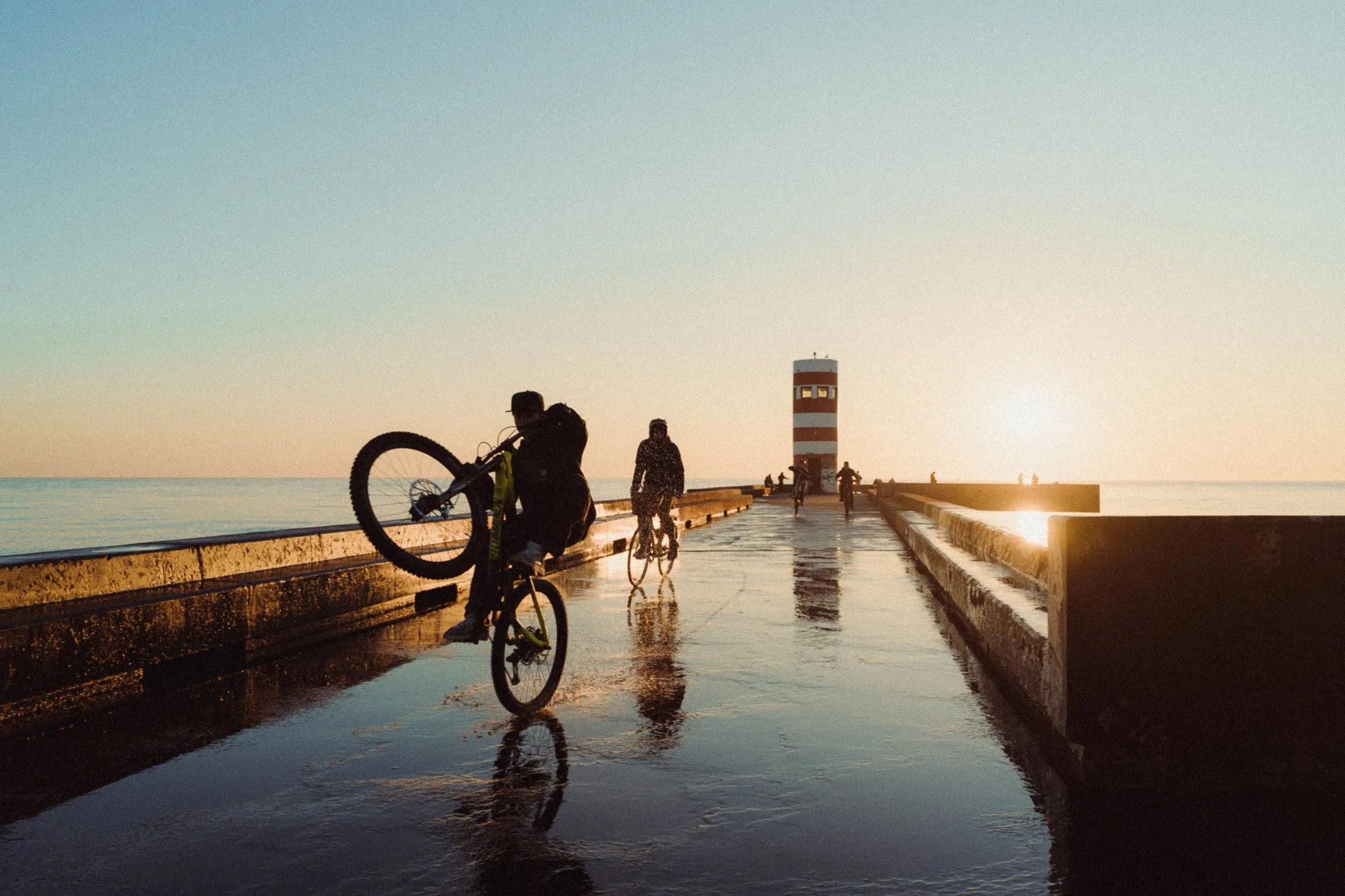
If you edit your photos with a softer, more filmic look, the gap between sensor sizes becomes even smaller. A 60MP full-frame sensor will likely look indistinguishable from a 24MP APS-C sensor when edited in a cinematic style and shared online. One undeniable difference, however, is depth of field: a 35mm f/2 lens will produce a shallower depth of field on full-frame than on APS-C. Below is a mix of full-frame and APS-C photos. If I didn’t tell you, would you be able to guess?

Full Frame

APSC

Full Frame

APSC

Full Frame

APSC
Full Frame

APSC
Image Quality - Low Light
This is where the biggest difference lies. A larger sensor gathers more light, which means better low-light performance. This allows you to use lower ISO settings, reducing noise, and maintain a faster shutter speed to avoid motion blur. You can also stop down the aperture if you don’t want an excessively shallow depth of field. If you frequently shoot in low-light conditions, a full-frame camera is worth considering. Below is a mix of full-frame and APS-C photos. If I didn’t tell you, would you be able to guess?

Full Frame

APSC

Full Frame

APSC

Full Frame

APSC
Final Thoughts
The decision between full-frame and APS-C is becoming more nuanced. Five to seven years ago, full-frame cameras were significantly larger, heavier, and more expensive. Today, the gap has narrowed considerably, and in many cases, the trade-offs are minimal.
In terms of image quality, unless you're working in extreme conditions, cropping heavily, or obsessed with maximum sharpness, the difference alone doesn’t justify upgrading to full-frame. My most noticeable improvements when switching from Fuji to Sony weren’t related to image quality at all—they were about usability, features, and performance.


















Instead of telling you how these will change your life, I would rather be practical and answer the most common questions that people tend to have when buying presets.
What are presets?
They are editing settings that are saved in a file and can be applied to any image.
Why do people buy presets?
Sometimes because they like the work of the photographer and want that style for their own photos. Mostly because they would like to see how other people edit and learn by reverse engineering the presets. Other times it’s just to support their favourite photographers, thank you!
What’s the overall style of these presets?
- Filmic
- Warm
- Soft
- Bright
What are these presets suitable for?
Street & Travel Photography
Some Nature (with further editing)
Some Portraits (with extensive editing)
Do I actually use these?
Yes. This is the same pack I use right now for all my editing. This isn’t a pack made just to sell.
Do these presets get updated?
Yes, as my style changes, these presets will also be updated. Any time a new update is available, you will get a free update via email. Of course you also keep all the old presets in case you prefer the older looks. Only presets purchased from 2025 onwards will receive the updates.
What file types are these presets for?
- All RAW files
- JPEGs & TIFFs (not recommended)
What camera brands are these presets for?
These were designed around Fujifilm, Sony, and Leica sensors. With that said, they will work with all camera brands. While there might be differences due to individual camera colour science, the overall feel of the preset will carry over.
Will these work with JPEG files?
Yes, but you will need to reduce the intensity and make further edits. I strongly recommend editing RAW files.
Are these one click edits?
95% No. You would need to do some basic adjustments as each image is different. These adjustments can include exposure, colour balance etc. In 5% of cases you can just apply and leave it alone.
Do I need to know how to edit?
You need to have a basic understanding of adjusting exposure, highlights, shadows, etc. A more comprehensive editing skillset will let you get the most out of them.
How many presets are included?
10 in the main pack and 24 in the extras pack
Why two packs?
The main pack is what I use for 99% of my edits and is kept small to reduce wasted time scrolling through presets. The extras pack is everything I don’t use often.
What software do I need?
These presets will work with any of the following:
- Photoshop (adobe camera raw)
- Lightroom Classic
- Lightroom Desktop
- Lightroom Mobile
Will these presets work with free versions of the above software?
You need to research and double check before buying. These presets were designed for the full paid versions.
Will these presets work with very old versions of the above software?
You need to research and double check before buying. These presets were designed on and for the latest software.
What file type do I get?
XMP
What else do I get?
- Comprehensive PDF guide
Can I modify these and turn them into my own?
Yes! In fact I encourage you to modify them and play around. Use these to help you get your own style.
I have more questions…. What do I do?
Make a cup of tea and drop me an email on hello@snapsbyfox.com
Please note that due to the nature of digital products, refunds are generally not accepted. However, if you experience any issues, feel free to contact me and I’ll review your situation individually. You are welcome to use this product for personal or commercial projects, but you may not copy, distribute, or resell the files in their original or modified form.
Finally I want to say a massive thank you for supporting me. Buying these presets is the most direct way you can support my work.
Thank you!