
Sony 24-50mm f2.8 First Impressions
If there is one piece of equipment that played a big part in my switch to Sony as my everyday workhorse, it would be the 24-50mm f/2.8 lens. Ever since I first saw it, I had wanted something similar for my old Fuji system. I’ve been using the 24-50 as my primary lens for two months, and in this blog, I will share my initial review. There will be a follow-up blog in a year or so once the lens has seen more use.

As with all my reviews, unless explicitly stated, the gear was purchased with my own money, and there has been no involvement from Sony whatsoever. My opinions come from a real-world travel photography standpoint. I will focus on what this lens is like to live with and use, not how well it can resolve a brick wall at 400%.
Focal Range & Concept
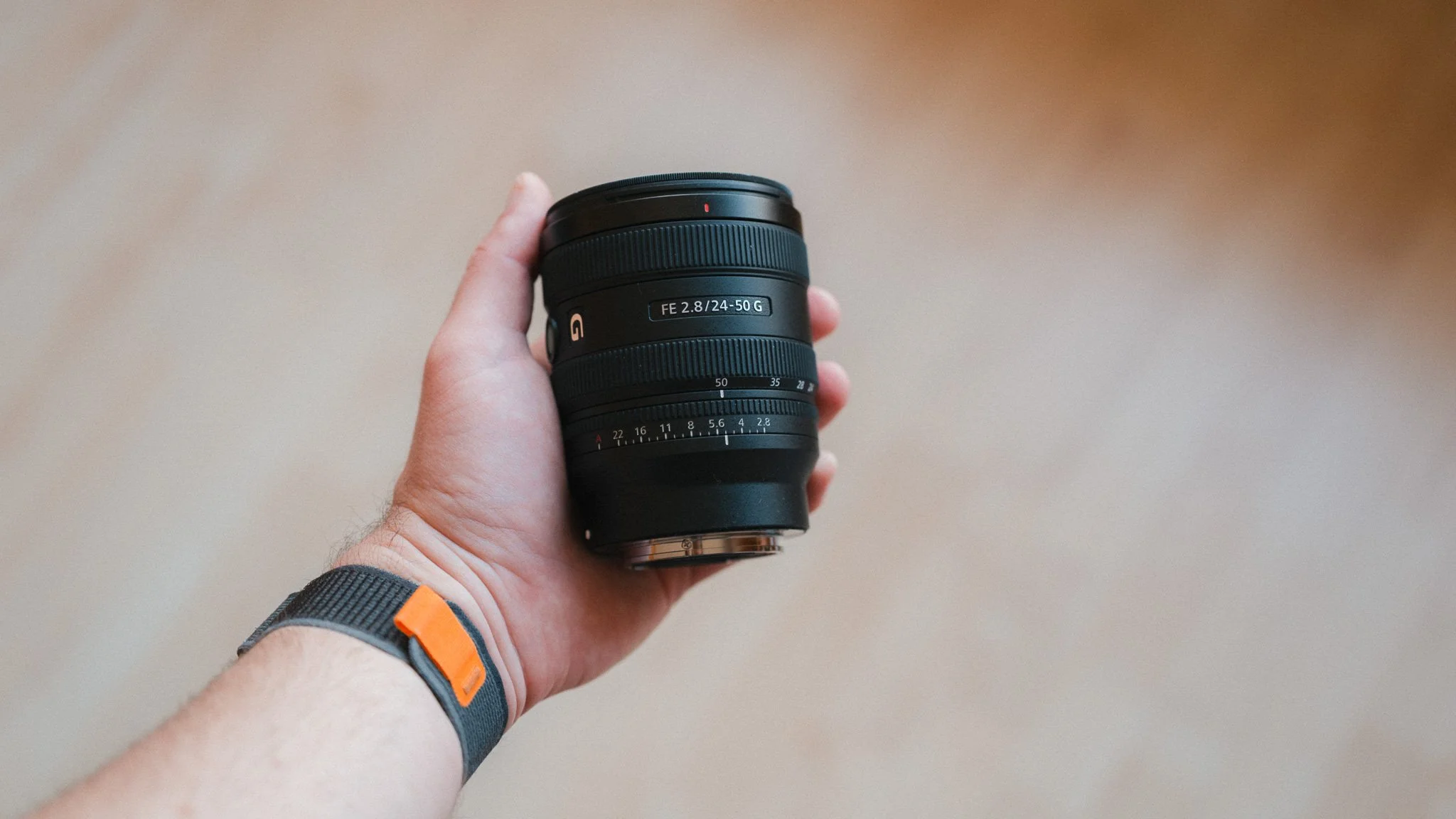
The main attraction of this lens is the reverse zoom design. Most zoom lenses start on the wider end at 24mm and then zoom in to 70mm. This means that if you usually shoot at 35mm and above, you’re always using the lens in the extended position. Also, if you prefer those longer focal lengths, you always need extra time to zoom in, which can result in a missed shot.
This lens is different because it starts at 50mm, and when you zoom out, the lens extends. In fact, there is very minimal extension between 50mm and 35mm. If you shoot between these two focal lengths, you effectively maintain the compact size. This essentially gives you a zoom lens the size of a prime that can function as a prime most of the time. Coupled with the focal range, this makes the 24-50 a perfect street photography and travel lens.


Build
The lens feels solid and high quality. There are no rattles, no play, and no cheap-feeling materials. I have yet to add any scratches to this lens despite it never leaving the camera and always being either across my body or in my bag without a case. I’ve shot in more downpours than I care to remember and have had to clear sea spray a few times. I haven’t experienced any issues or malfunctions yet. This section might be different in the long-term review, but two months in, I have no issues to report.


Ergonomics
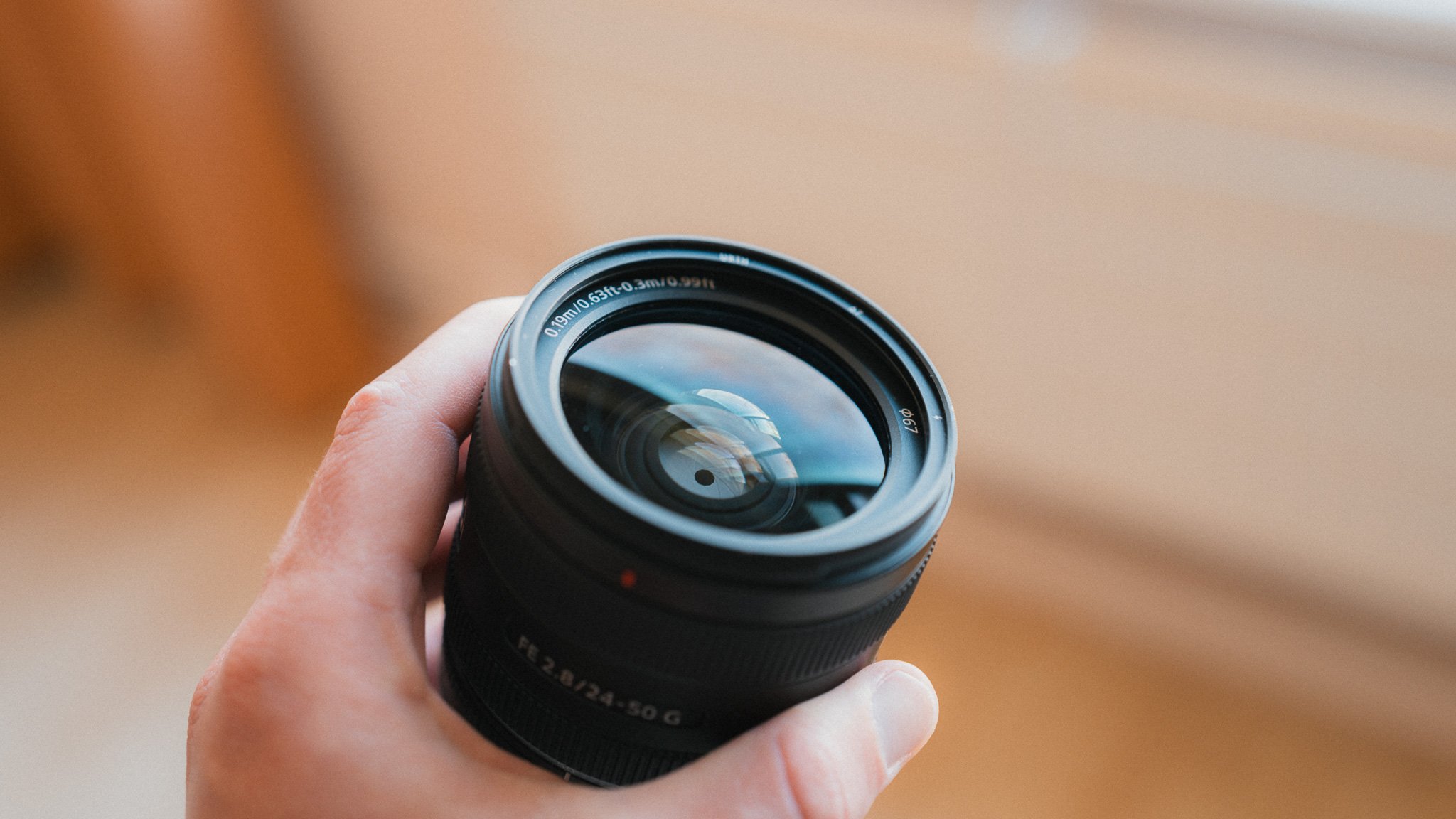
This is a huge selling point of the 24-50. When fully compressed at 50mm, this lens is the size of a prime, if not smaller. Compared to the 24-70, the difference in hand feel is vast. Even when zoomed all the way out, the lens remains lightweight. The only issue is the lack of a second function button to assist with portrait shooting. If I need to shoot in portrait mode and use the function button, I have to hold the camera in an awkward way that isn’t as intuitive as having a second button, as found on many other lenses.


I also wish the AF/MF switch was a little more pronounced. It can be awkward to find by touch, and if you happen to wear gloves, forget it. The aperture dial has nice, solid clicks and can be de-clicked if needed. The zoom action is smooth but offers enough resistance to stay in place. The manual focus dial is fairly light but has enough damping to provide some feedback.


Image Quality
There is nothing bad I can say about any modern lens when it comes to image quality. The lens is plenty sharp, and anyone unhappy with the sharpness of the 24-50 is probably doing something wrong. The photos render well, and I haven’t encountered any issues or quirks worth noting. I am sure that if you test it on various charts in a lab, you will get a more detailed analysis. However, in the real world, this lens is outstanding. Below are some unedited photos.


Focusing
Just like image quality, the autofocus is spot on. It’s quick, silent, sticky, and accurate. I can’t imagine anyone having an issue with this system. We’re at a stage where there is little point in going into specific details—it just works. Manual focusing is as good as you’d expect from a digital system. It’s no Leica M or Q, but it does the job.

Summary
To summarise, this is probably my favourite lens I’ve ever used. This is solely due to the inverted zoom design, as I mostly shoot at 35-50mm. If you prefer shooting at 24-35mm, you might find it frustrating. Equally, if you need 70mm, this won’t cut it unless you’re shooting on a 60MP sensor and are happy to crop. If you want a compact travel or street lens that feels like a prime, this is it.
Image Samples
Below are some of my favourite photos I’ve taken with this lens so far this year. They are heavily edited, with much of the detail removed for a softer feel. This is a real-world representation.




















Instead of telling you how these will change your life, I would rather be practical and answer the most common questions that people tend to have when buying presets.
What are presets?
They are editing settings that are saved in a file and can be applied to any image.
Why do people buy presets?
Sometimes because they like the work of the photographer and want that style for their own photos. Mostly because they would like to see how other people edit and learn by reverse engineering the presets. Other times it’s just to support their favourite photographers, thank you!
What’s the overall style of these presets?
- Filmic
- Warm
- Soft
- Bright
What are these presets suitable for?
Street & Travel Photography
Some Nature (with further editing)
Some Portraits (with extensive editing)
Do I actually use these?
Yes. This is the same pack I use right now for all my editing. This isn’t a pack made just to sell.
Do these presets get updated?
Yes, as my style changes, these presets will also be updated. Any time a new update is available, you will get a free update via email. Of course you also keep all the old presets in case you prefer the older looks. Only presets purchased from 2025 onwards will receive the updates.
What file types are these presets for?
- All RAW files
- JPEGs & TIFFs (not recommended)
What camera brands are these presets for?
These were designed around Fujifilm, Sony, and Leica sensors. With that said, they will work with all camera brands. While there might be differences due to individual camera colour science, the overall feel of the preset will carry over.
Will these work with JPEG files?
Yes, but you will need to reduce the intensity and make further edits. I strongly recommend editing RAW files.
Are these one click edits?
95% No. You would need to do some basic adjustments as each image is different. These adjustments can include exposure, colour balance etc. In 5% of cases you can just apply and leave it alone.
Do I need to know how to edit?
You need to have a basic understanding of adjusting exposure, highlights, shadows, etc. A more comprehensive editing skillset will let you get the most out of them.
How many presets are included?
10 in the main pack and 24 in the extras pack
Why two packs?
The main pack is what I use for 99% of my edits and is kept small to reduce wasted time scrolling through presets. The extras pack is everything I don’t use often.
What software do I need?
These presets will work with any of the following:
- Photoshop (adobe camera raw)
- Lightroom Classic
- Lightroom Desktop
- Lightroom Mobile
Will these presets work with free versions of the above software?
You need to research and double check before buying. These presets were designed for the full paid versions.
Will these presets work with very old versions of the above software?
You need to research and double check before buying. These presets were designed on and for the latest software.
What file type do I get?
XMP
What else do I get?
- Comprehensive PDF guide
Can I modify these and turn them into my own?
Yes! In fact I encourage you to modify them and play around. Use these to help you get your own style.
I have more questions…. What do I do?
Make a cup of tea and drop me an email on hello@snapsbyfox.com
Please note that due to the nature of digital products, refunds are generally not accepted. However, if you experience any issues, feel free to contact me and I’ll review your situation individually. You are welcome to use this product for personal or commercial projects, but you may not copy, distribute, or resell the files in their original or modified form.
Finally I want to say a massive thank you for supporting me. Buying these presets is the most direct way you can support my work.
Thank you!