
Fujifilm XT5 vs XH2 - Which Is Best For You?
If you’re in the market for a Fujifilm APSC camera with the higher resolution 40 megapixel sensor, then as it stands there are only two options available. The XT5 and the XH2. The two are not too different in terms of price but come in very different packages with different features. Having owned the XT5 for over a year and the XH2 for over 6 months, I can now share in this blog which one is best for you.


Key Similarities
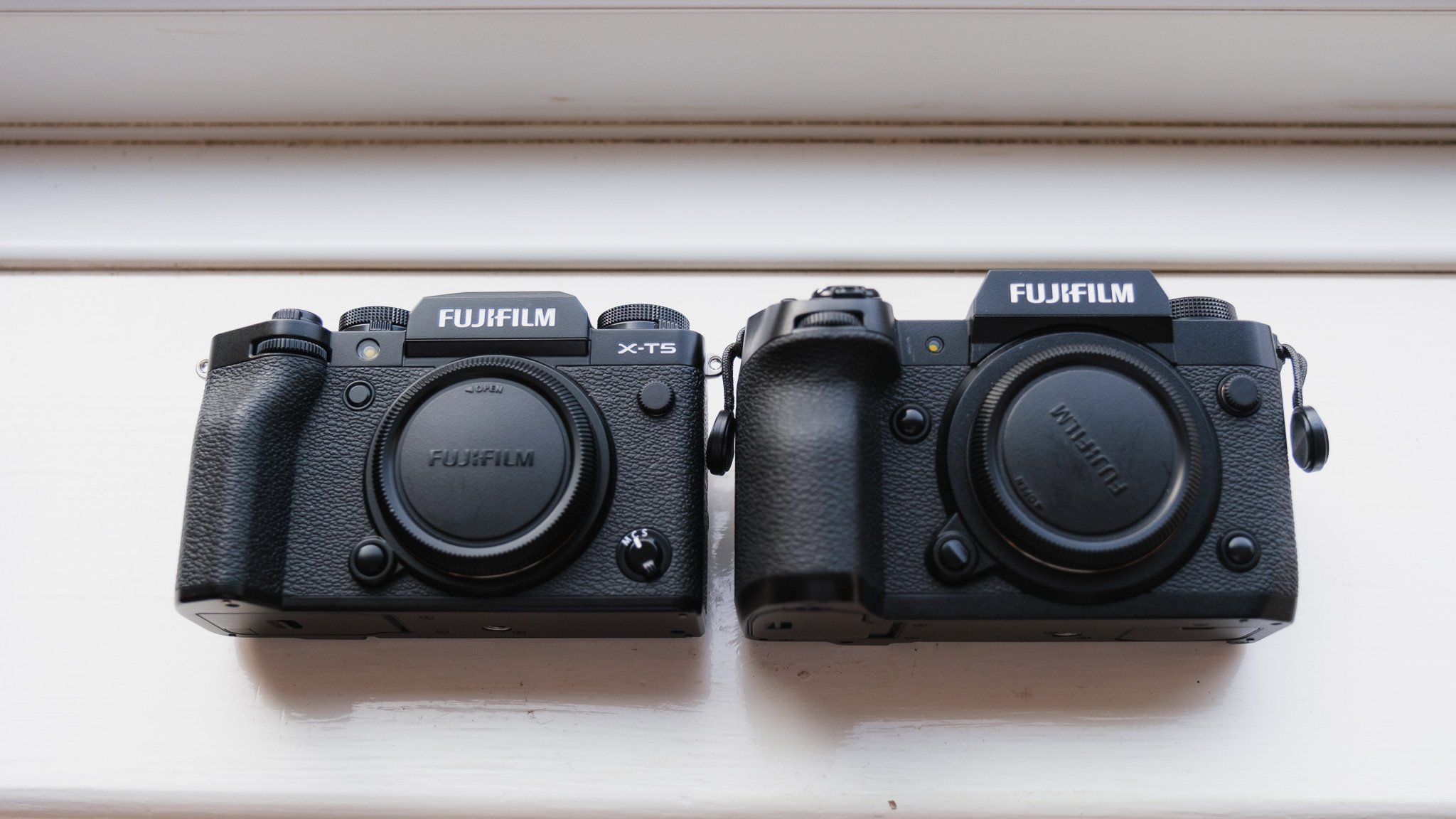
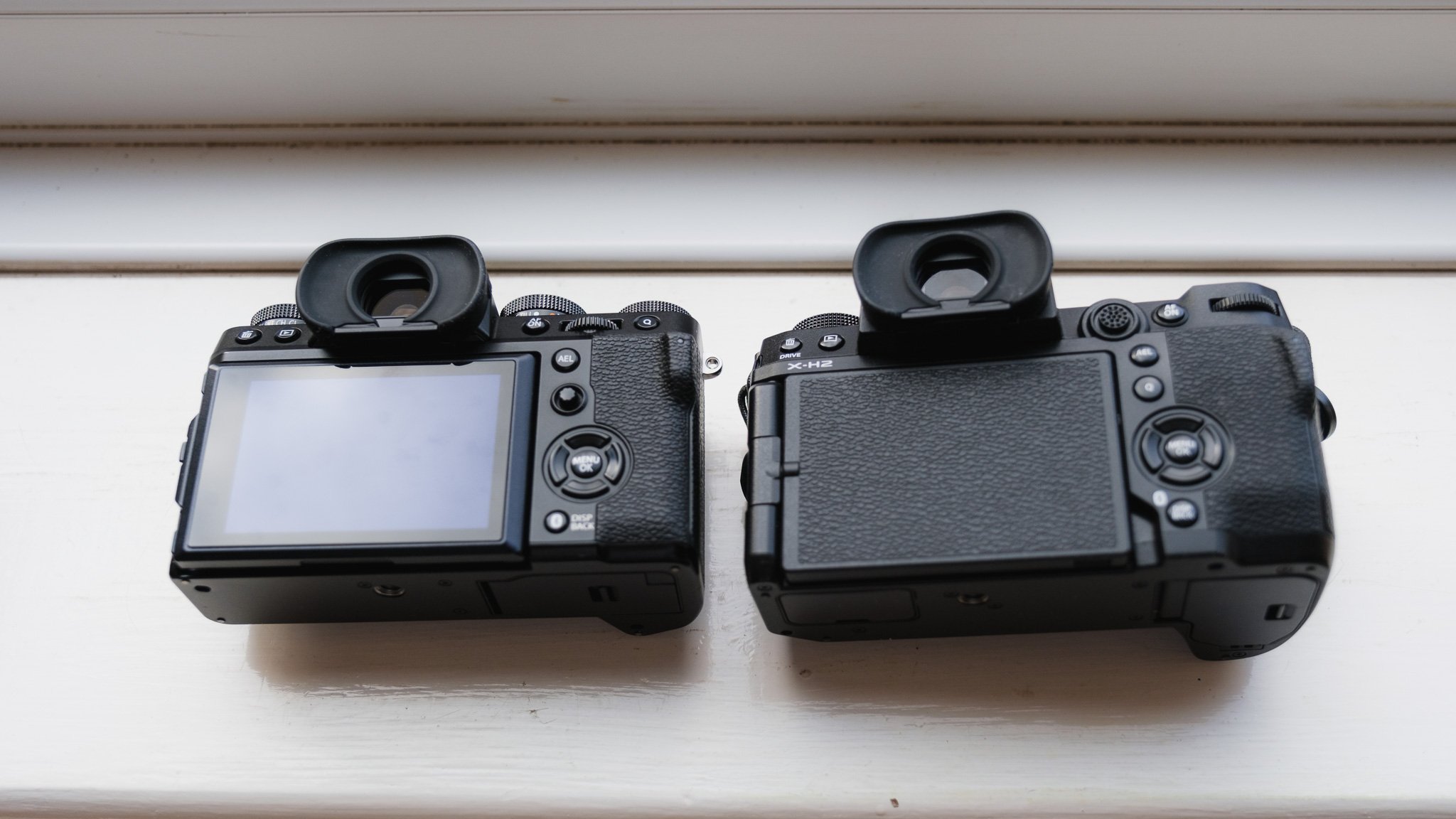
Both of these come with an amazing 40 megapixel sensor that gives great resolution and ample room for cropping. Both have great LCD screens with good resolution, colour and detail. Both are ergonomic and have weather sealing. Both have the latest Fuji colour simulations and extensive JPEG settings. Both have the latest and greatest autofocus systems and both come with plenty of extras like pano, HDR, bracketing and much more. Both have great IBIS.
Key Differences
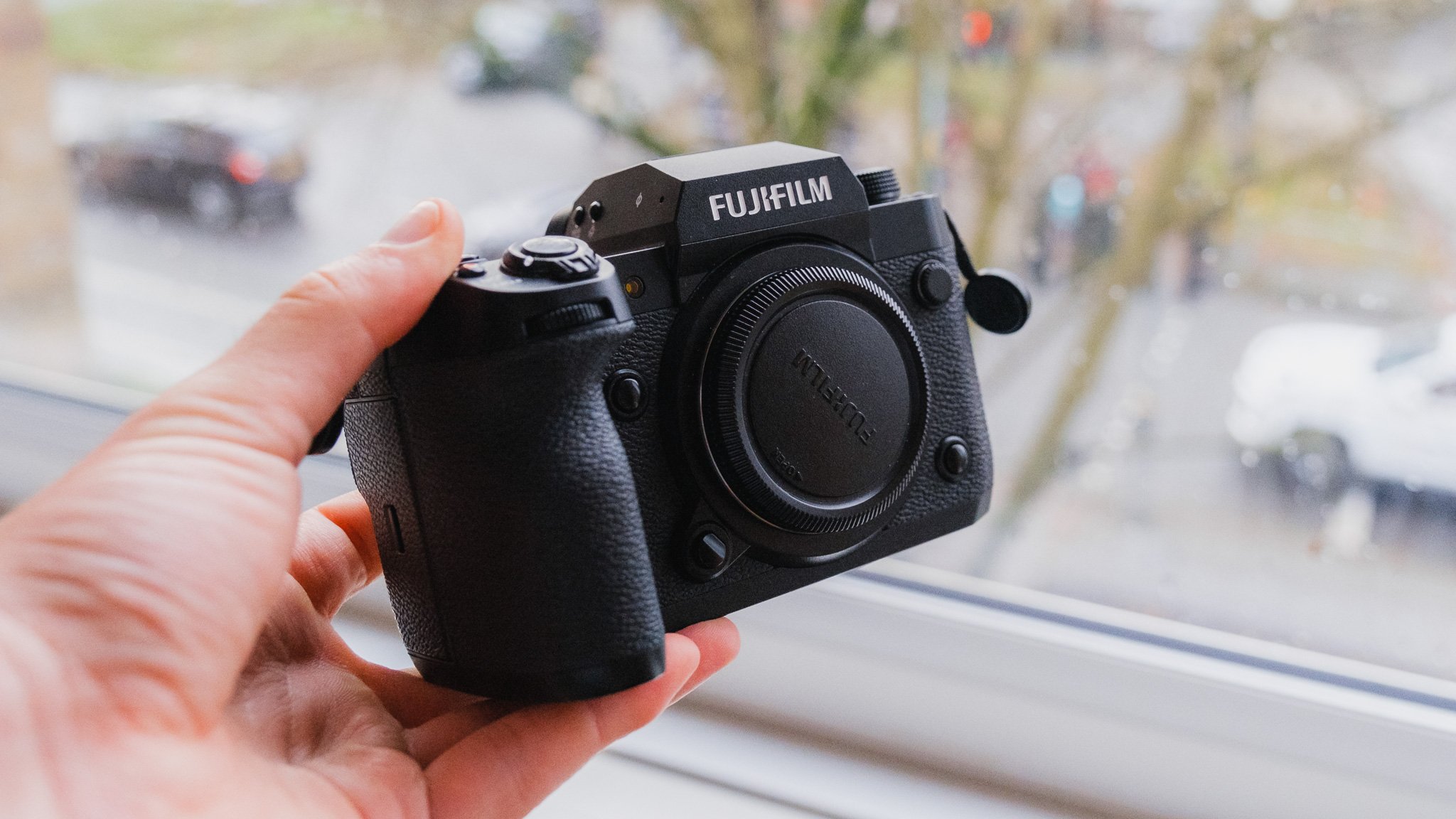
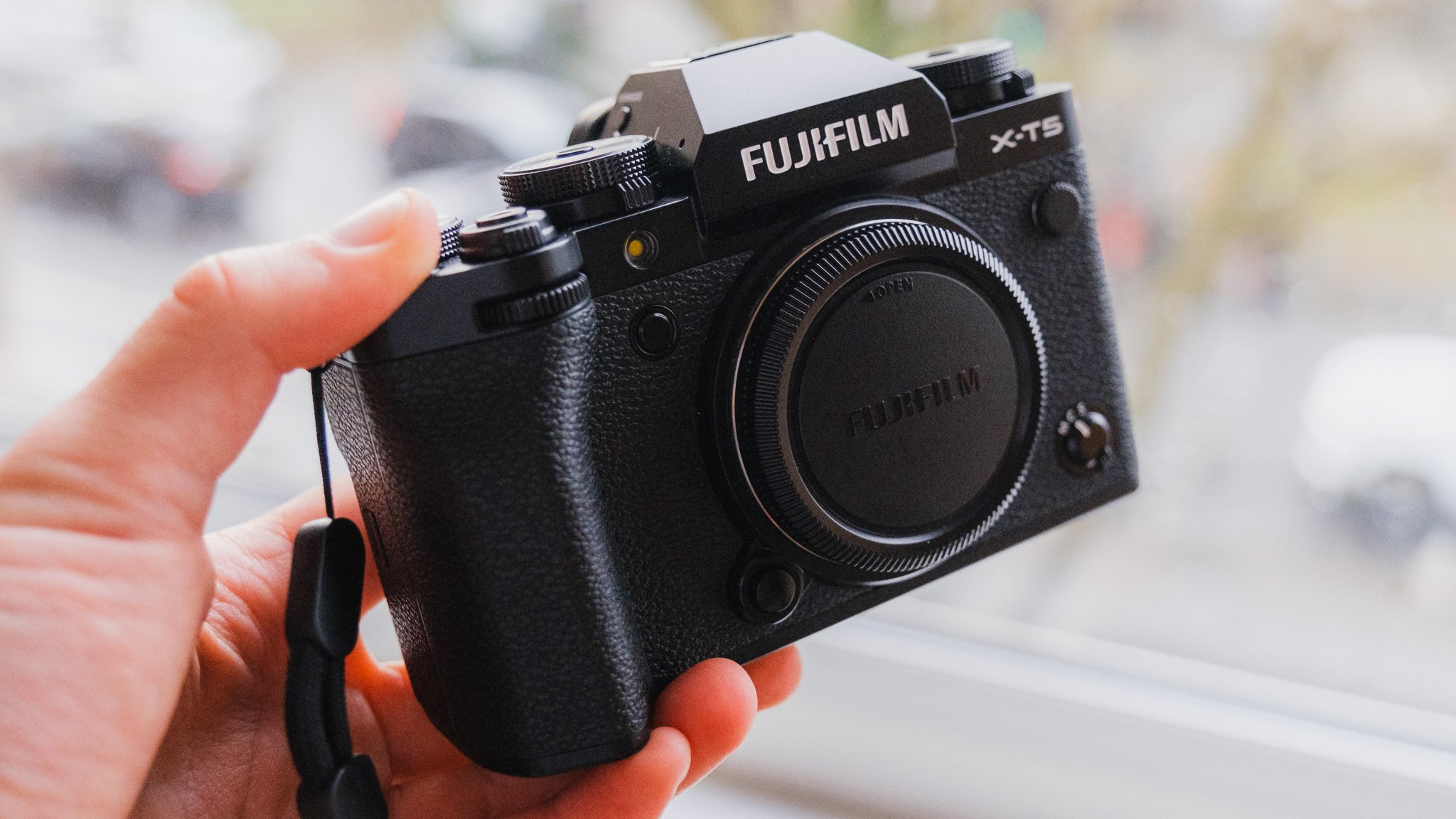
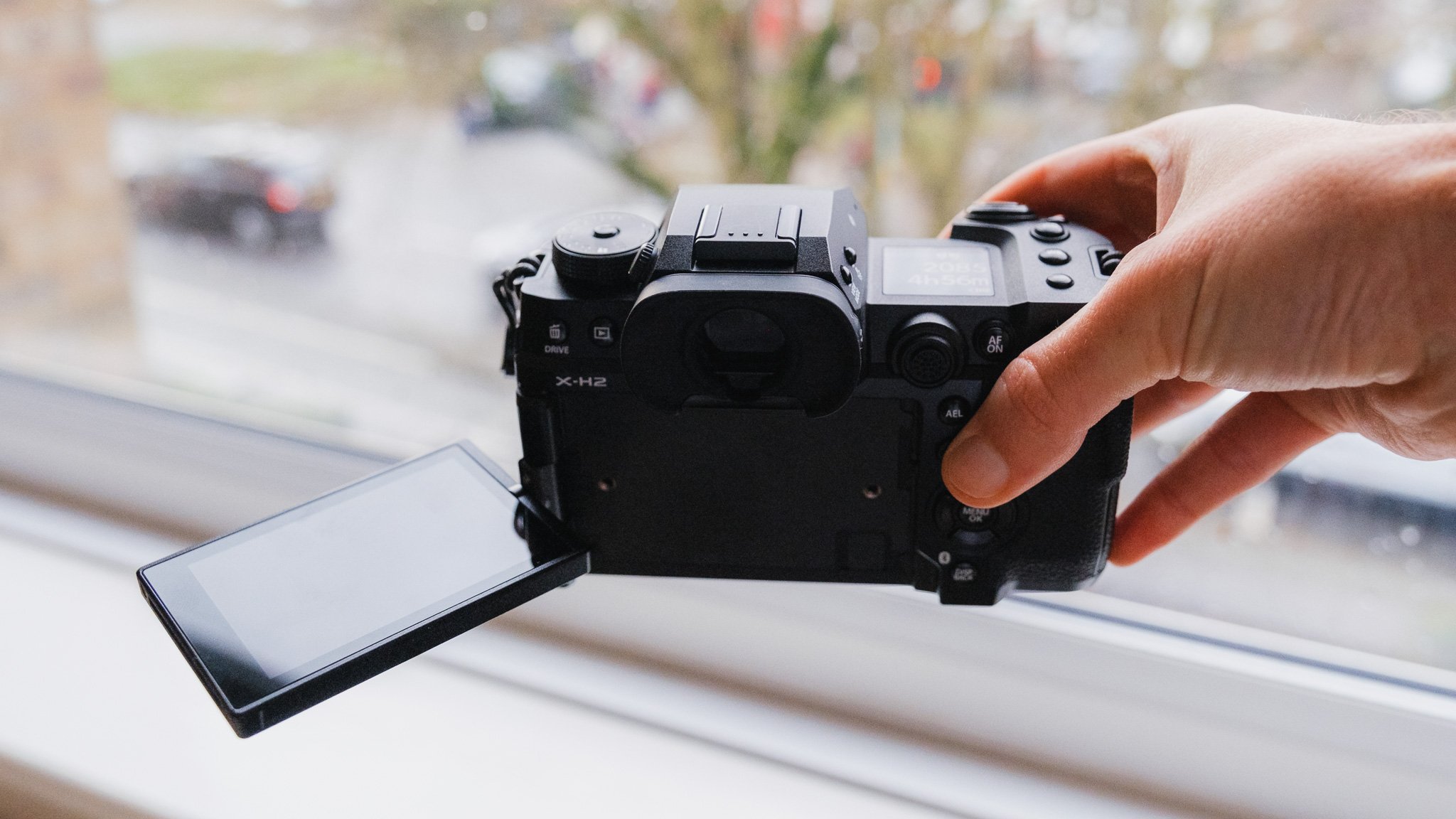
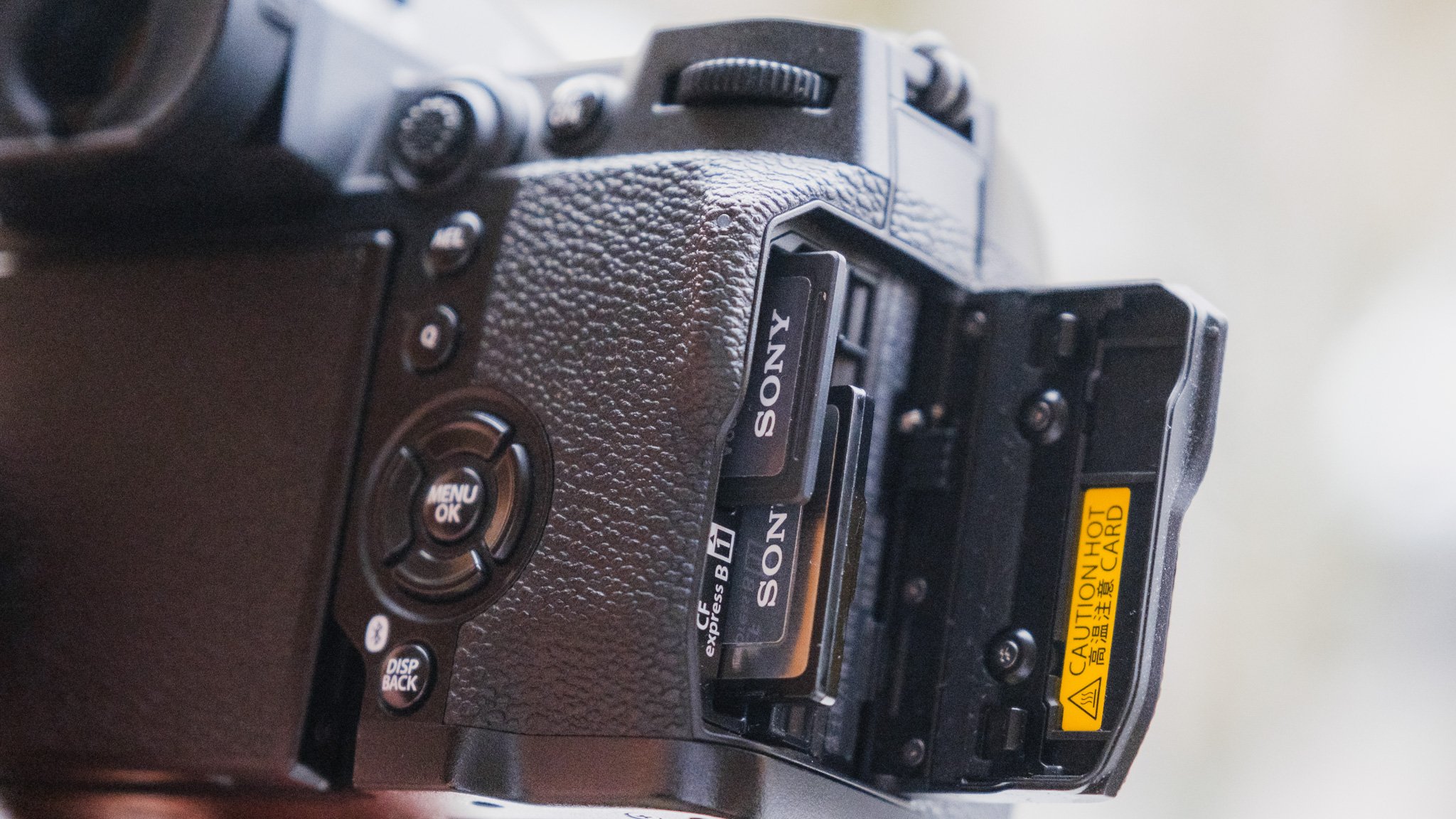
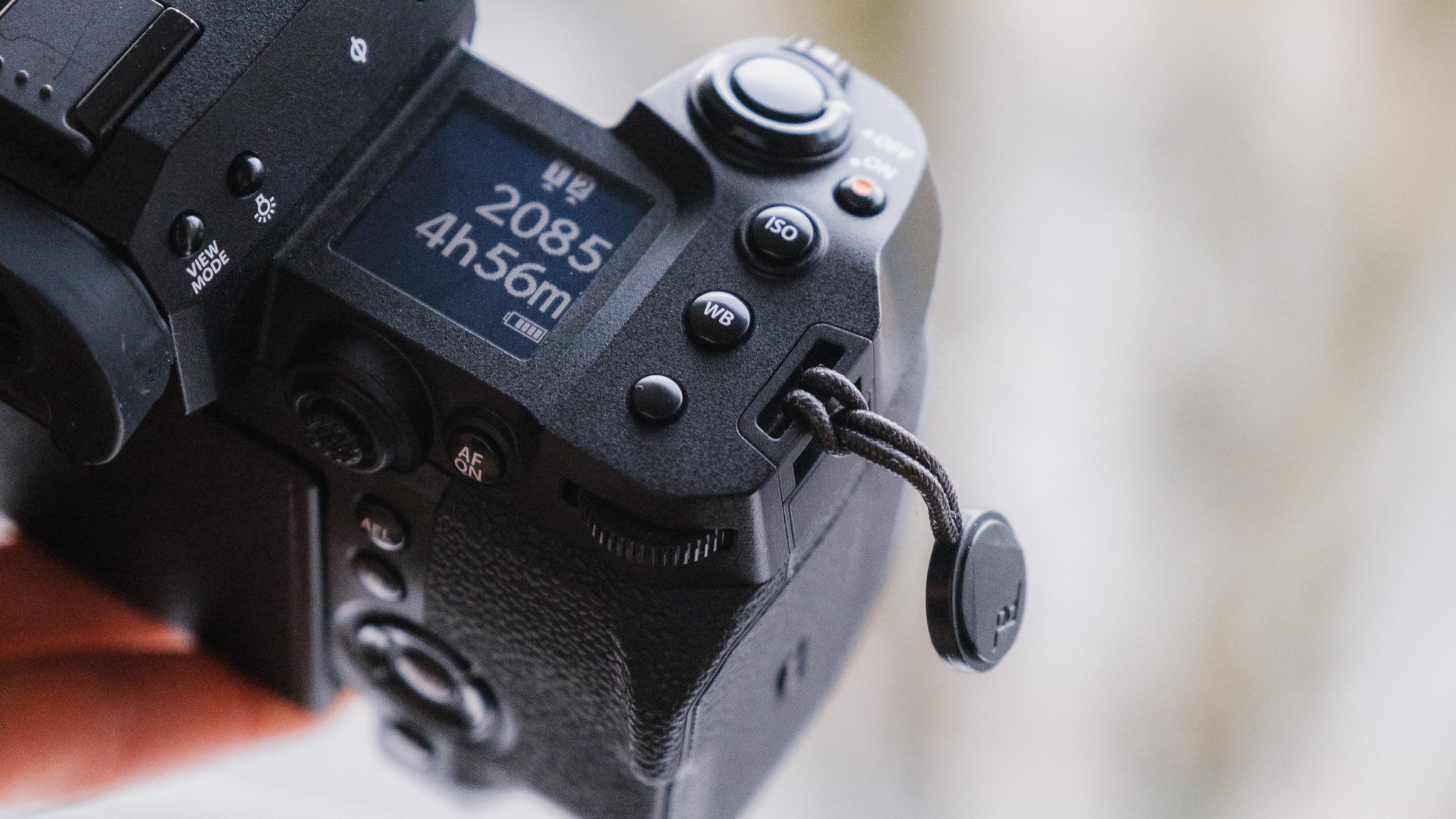
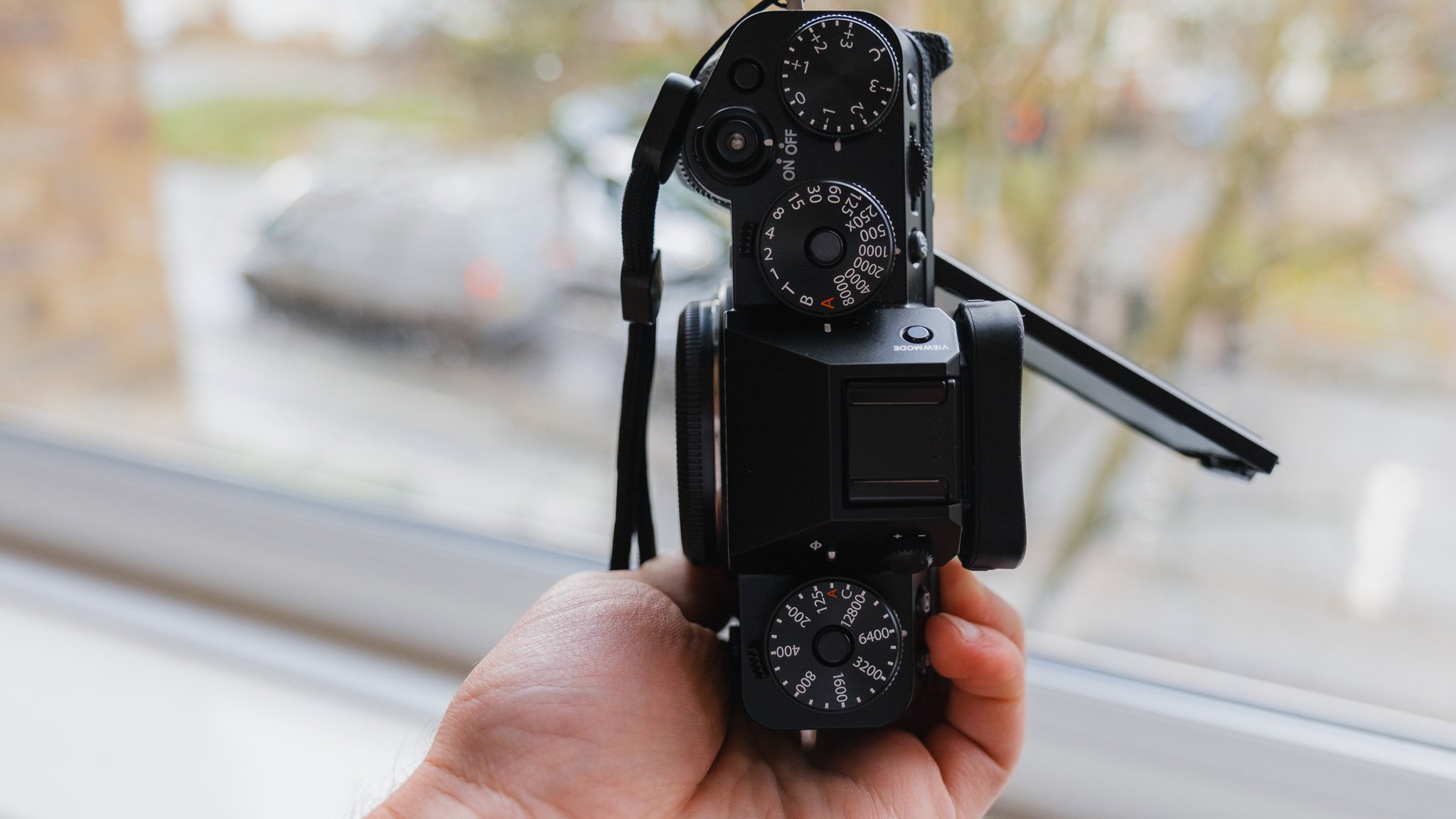
The biggest difference is the size, how you interact with the camera and the purpose. The XH2 is considerably larger with a bigger grip. The XH2 has a more modern PASM dial layout with 7 custom modes and an LCD while the XT5 retains the traditional top dial set up. The XH2 has a flip out screen while the XT5 has an articulating screen. The XH2 takes a CF express card while the XT5 sticks with two SDs. The XH2 is aimed to be a true hybrid camera while the XT5 is very much photo centric. The XH2 is generally a faster camera. The XH2 shoots in better video codecs with no crop while the XT5 doesn’t. Finally the XH2 shoots in 8k while the XT5 is limited to 6.2K.

XH2 Strengths
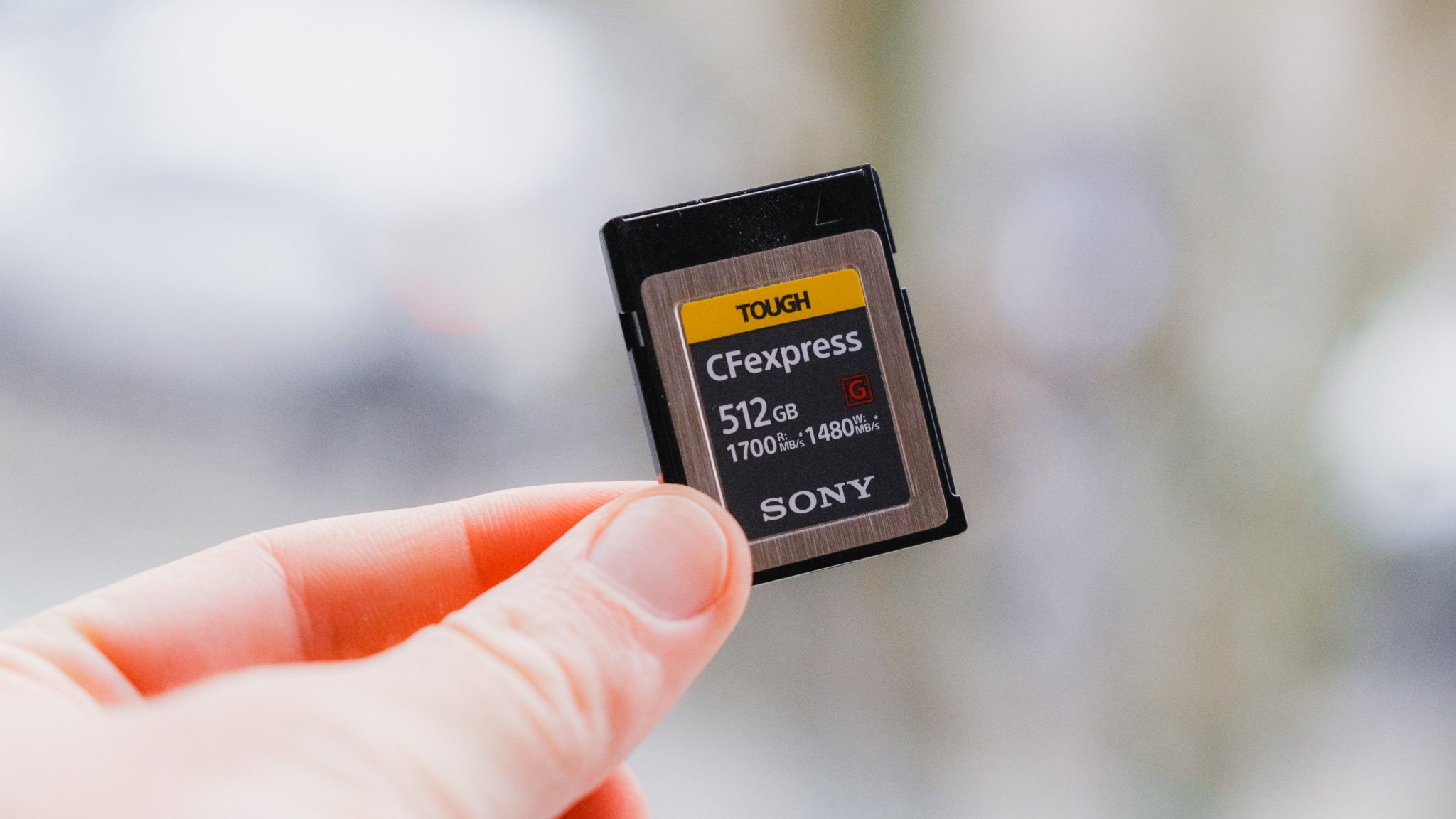
First of all the XH2 is better built with more premium feeling materials. It feels like this camera is going to last longer and withstand more extreme weather. The bigger size and grip will come in great when shooting with bigger lenses as it will allow the camera to balance better with lenses like the 90mm f2 and f2.8 zooms. The XH2 has way more customisable buttons and coupled with the grip and LCD make it more ergonomic. The top down LCD provides loads of useful information while the PASM dial is simply more efficient. You can program a ton of different custom modes and easily flick between them. For example C1 can be single focus and spot metering while C2 can be zone focus and multi metering. C3 can be 6k ProRes Log video while C4 can be 1080p colour graded for IG stories. C5 can be set up for shutter drag while C6 for freezing the moment. You get the idea. The XH2 has a better viewfinder with noticeably higher resolution. The XH2 shoots on a CF express card while also having a second SD slot. This means there is no buffering lag and the camera operates noticeably quicker than the XT5 especially when shooting photos then quickly switching to video and starting to record. The XH2 can shoot in ProRes with no crop. The XH2 can shoot in 8k which makes reframing in post easier while maintaining ample resolution. The XH2 has more ports including a full size HDMI port perfect for rigging out into something more elaborate. The XH2 also has the option for a battery grip and a fan attachment. Finally the fully articulating screen is useful for filming yourself, selfies and awkward angled shots.


XH2 Weaknesses
A lot of what makes the XH2 better can also be a weakness. For example although the CF Express card offers faster shooting, the best video codecs can only be written to the CF. So when shooting in ProRes, you can’t shoot to the SD. An extra card means an extra card reader and more expense. Although the sensors are the same, I did find that the XH2 suffers from more rolling shutter compared to the XT5. Although the XH2 is objectively more ergonomic and practical, it’s not as fun to use as the XT5. It feels more like a generic mirrorless from any other brand. The XH2 is a large camera without doubt. It’s actually a little larger than a Sony full frame like the A7R. For some people with smaller hands, this could be an issue. The XH2 also looks like a professional camera while the XT5 can be passed as a ‘hobby’ or even a film camera especially when used with smaller lenses. This helps a lot especially shooting in cities. Finally it’s a shame that the XH2 doesn’t have some sort of exposure dial. I understand why it doesn’t have it, but even a small one would have been great.
XT5 Strengths
The biggest strength of the XT5 is that it’s fun to use. It’s a camera you enjoy picking up, messing with the dials and you find that you always want to take it with you. The fact that it’s now even smaller and lighter only adds to the first point. If you spend all your time behind the camera then the articulating screen design is more compact and convenient. If you’re just started to learn photography, then the full manual top dial controls make that process so much easier. Dual SD card slots means that all photo and video can be written to both cards at the same time. The camera doesn’t look like a professional camera so is easier to use in busy places and cities. The photo / video switch makes it dead easy to switch modes with respective settings being remembered.


XT5 Weaknesses
The biggest weakness is the downgrade in the build quality compared to previous XT cameras. This isn’t huge and not something that would impact my buying decision, however a downgrade is present. From how the dials feel when they click to the noticeably thinner and more scratch prone coating. The top dials do have a tendency to collect dirt and dust to the point where they can become stuck together. So when you turn the ISO dial, it also turns the drive dial underneath. This seems to be an issue on early models. The camera is generally slower compared to previous XT bodies in terms of processing and saving photos. This is mostly due from the larger resolution sensor and a worthwhile tradeoff. This is getting petty but the attachments for straps are just too small. Finally the XT5 can’t take any battery grips or fans.


XH2 > XT5
You should consider the XH2 if you’re looking for a professional camera to do client work. If you plan to shoot both video and photo equally. If you need the best video codecs or if you plan to film or photograph yourself. If you will abuse your camera, shoot in extreme environment or you are wearing gloves. If you plan to use bigger lenses and if you plan to do a lot of burst photography. If you 100% rely on the EVF. If you need a bigger grip because you have large hands. If you want the best build quality. Finally if you want the most customisability and the simplest layout then the XH2 is a better choice.

XT5 > XH2
You should consider the XT5 if you want the most power in the smallest package or if you simply like smaller cameras. If you plan to shoot with the smaller f2 primes then the XT5 will be better suited. If you mostly take photos and spend the majority of the time behind the camera. If you want the traditional top dials for key settings and don’t like the PASM approach or simply prefer the retro look. If you want a camera that doesn’t scream ‘professional camera’. Finally if you’re on a budget then the XT5 is cheaper while not requiring costly CF express cards.



















Instead of telling you how these will change your life, I would rather be practical and answer the most common questions that people tend to have when buying presets.
What are presets?
They are editing settings that are saved in a file and can be applied to any image.
Why do people buy presets?
Sometimes because they like the work of the photographer and want that style for their own photos. Mostly because they would like to see how other people edit and learn by reverse engineering the presets. Other times it’s just to support their favourite photographers, thank you!
What’s the overall style of these presets?
- Filmic
- Warm
- Soft
- Bright
What are these presets suitable for?
Street & Travel Photography
Some Nature (with further editing)
Some Portraits (with extensive editing)
Do I actually use these?
Yes. This is the same pack I use right now for all my editing. This isn’t a pack made just to sell.
Do these presets get updated?
Yes, as my style changes, these presets will also be updated. Any time a new update is available, you will get a free update via email. Of course you also keep all the old presets in case you prefer the older looks. Only presets purchased from 2025 onwards will receive the updates.
What file types are these presets for?
- All RAW files
- JPEGs & TIFFs (not recommended)
What camera brands are these presets for?
These were designed around Fujifilm, Sony, and Leica sensors. With that said, they will work with all camera brands. While there might be differences due to individual camera colour science, the overall feel of the preset will carry over.
Will these work with JPEG files?
Yes, but you will need to reduce the intensity and make further edits. I strongly recommend editing RAW files.
Are these one click edits?
95% No. You would need to do some basic adjustments as each image is different. These adjustments can include exposure, colour balance etc. In 5% of cases you can just apply and leave it alone.
Do I need to know how to edit?
You need to have a basic understanding of adjusting exposure, highlights, shadows, etc. A more comprehensive editing skillset will let you get the most out of them.
How many presets are included?
10 in the main pack and 24 in the extras pack
Why two packs?
The main pack is what I use for 99% of my edits and is kept small to reduce wasted time scrolling through presets. The extras pack is everything I don’t use often.
What software do I need?
These presets will work with any of the following:
- Photoshop (adobe camera raw)
- Lightroom Classic
- Lightroom Desktop
- Lightroom Mobile
Will these presets work with free versions of the above software?
You need to research and double check before buying. These presets were designed for the full paid versions.
Will these presets work with very old versions of the above software?
You need to research and double check before buying. These presets were designed on and for the latest software.
What file type do I get?
XMP
What else do I get?
- Comprehensive PDF guide
Can I modify these and turn them into my own?
Yes! In fact I encourage you to modify them and play around. Use these to help you get your own style.
I have more questions…. What do I do?
Make a cup of tea and drop me an email on hello@snapsbyfox.com
Please note that due to the nature of digital products, refunds are generally not accepted. However, if you experience any issues, feel free to contact me and I’ll review your situation individually. You are welcome to use this product for personal or commercial projects, but you may not copy, distribute, or resell the files in their original or modified form.
Finally I want to say a massive thank you for supporting me. Buying these presets is the most direct way you can support my work.
Thank you!