
Essential iPad Accessories (Laptop Replacement / Travel Photography)
I wish the iPad came with all the accessories needed to make it truly usable; however, this is not the case. Over the years, I’ve spent a considerable amount of money trying different accessories, and in this blog, I will share with you the ones I use and travel with all the time. These come with me almost everywhere I go, and while some might be left behind for casual weekends away, everything listed here accompanies me on my long, multi-month trips. Please bear in mind that I make a living from photography, YouTube, and writing these blogs, with the iPad being my only travel computer. For many people, this list may be overkill. Please don’t assume that just because I use something, you need to as well.

Magic Keyboard
This shouldn’t come as a surprise. I’ve tried a number of third-party keyboards, including those from Logitech, but they were all returned. Yes, it’s overpriced, and if you’ve just upgraded to the new M4 iPad from the previous model, you’ll need to buy a new one, but it’s simply the best keyboard/case experience available for the iPad. This really does transform the iPad into a laptop, and for some apps like DaVinci Resolve, the keyboard is essential. I’ve used the Magic Keyboard since the first version, and they have always been heavily used and abused. I’ve only had one fail on me, which was replaced under warranty. Another downside is that the keyboard case effectively doubles the weight and thickness of the iPad. This is a trade-off I’m happy with, but for those wanting a true tablet experience, it might not be ideal. Finally, the case protects the iPad very well, the exterior is rubberised so it won’t slide around on your desk, and the pass-through charging keeps the main port free.

Smart Folio
There are times when I want to use the iPad as a tablet, and this is where the Smart Folio comes in. This is a genuine Apple product, but I’m sure any random one from Amazon will do the job just as well.

Apple Pencil
This is the main accessory that I feel should be included as standard in the box. That said, not everyone needs it. I mainly use it for photo editing and when I’m too lazy to reach the screen with my hand. For some people, such as artists and designers, this tool is invaluable. There’s something satisfying about dodging and burning a photo by literally drawing and shading exposure into it. That experience alone is worth the price for me.

Bellemond Screen Protector
The M4 iPad can be ordered with a Nano display, which gives a matte finish. This helps with glare, gives the screen a more paper-like feel, and makes reading a little more pleasant. I don’t actually recommend this finish because there’s no way to remove it. For the last few years, I’ve been using Bellemond screen protectors, which provide an even better finish while also protecting the screen. They offer all the benefits without being permanent. There are some drawbacks to keep in mind. The screen protector reduces contrast and sharpness slightly. Not enough to drastically change how images are displayed, but enough to notice if you’re looking for it. Personally, it hasn’t impacted my editing at all, with my final images coming out exactly as I expected.

Anker 541 Hub
A good hub to expand what you can plug into your iPad. I do wish it had an extra USB-C port, though.

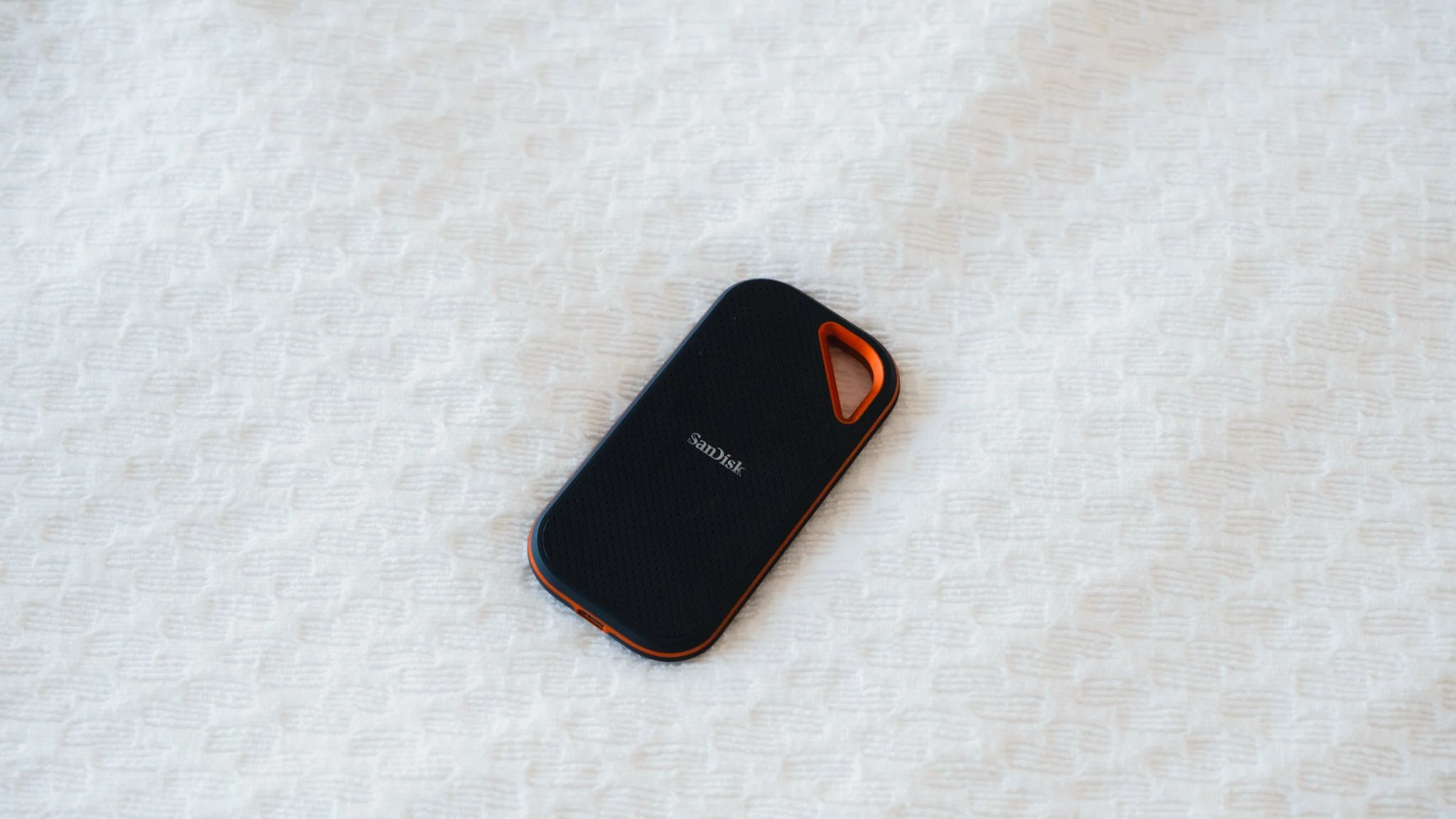
Sandisk 4TB SSD
I use this as my backup drive while on the road, as well as a place to offload files if my iPad starts to run out of memory. Some people have had issues with Sandisk, but I’ve never experienced any problems with this drive.
Sandisk USB-A / USB-C Memory Stick
This is incredibly useful for quickly moving files between devices, especially if the other device doesn’t have USB-C.

Anker Thunderbolt 4 Cable
This can charge at incredibly fast speeds while also being Thunderbolt 4, allowing for near-instant data transfer.

USB-A / USB-C Adaptor
An adaptor to convert one of the USB-C ports on the Anker cable to USB-A. This has saved me many times. It’s a generic Amazon special.

Minix Travel Charger 66W
This has been my go-to travel charger for years. It’s small, light, 66W, and works all over the world.

Anker Nano Power Bank
This is a tiny power bank, but it still packs a punch. It can give me around 60% charge from 5%, which in most cases is enough. I generally don’t rely on it because it’s for emergencies, and I’d rather find a wall socket.

HDMI Cable
Useful for watching Netflix on the hotel room TV.

Ethernet Cable + Anker Ethernet USB-C Adapter
While 95% of hotels have good Wi-Fi, sometimes the Ethernet port is the only way to get the best speed. This has saved me a few times, so I always bring it along, even though it’s the least used item here. Just exercise caution before plugging into unknown public Ethernet ports.

AirPods Pro
Everyone needs headphones.

Apple Wired Headphones
These serve as a backup pair, but more importantly, they’re what I use for video editing to avoid Bluetooth delay. The headphones have a standard 3.5mm jack that’s plugged into a USB-C converter.

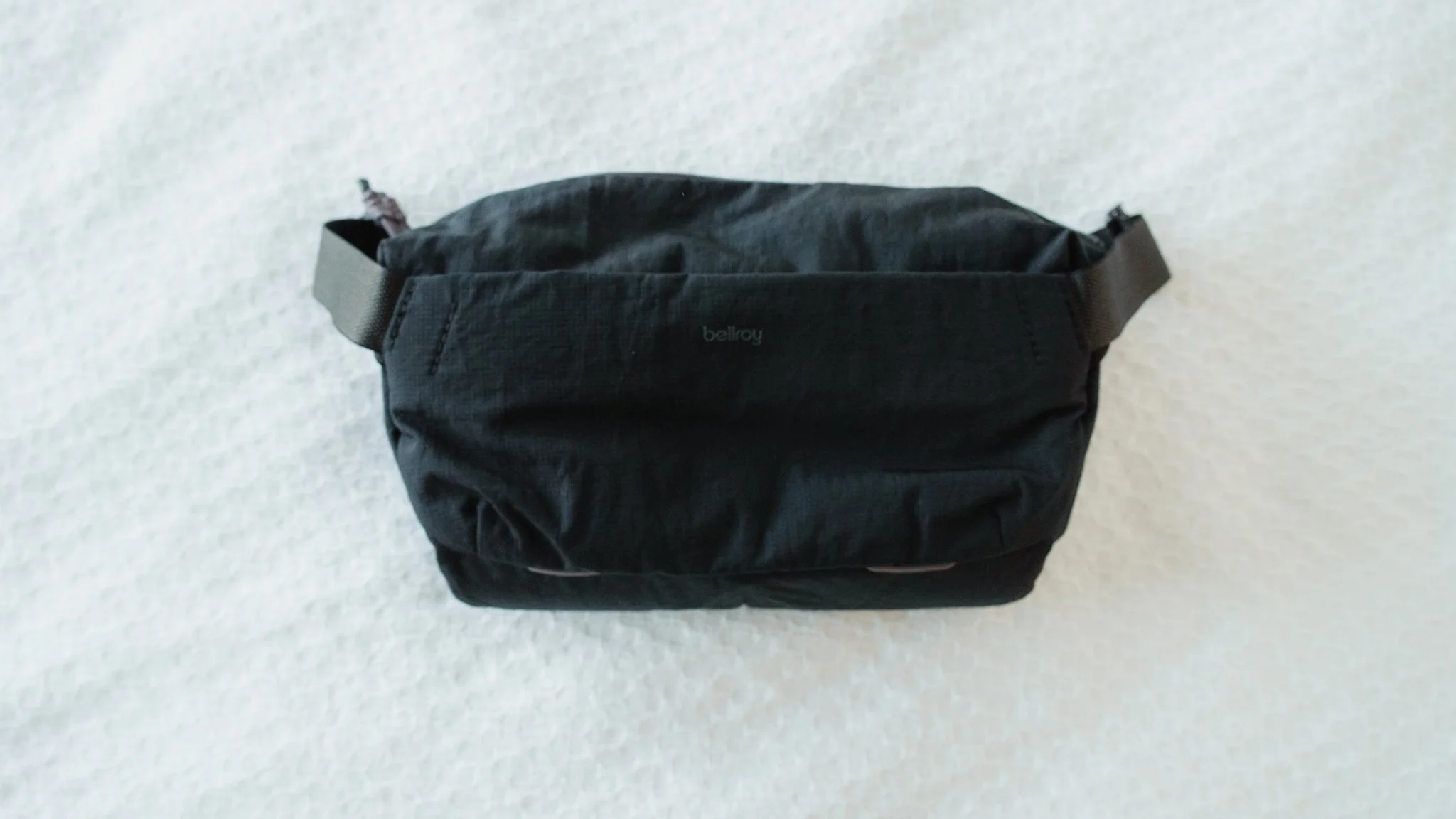
Bellroy 10L Sling
If I’m heading to a coffee shop to get some work done, I throw the iPad and some essentials in this sling, and I’m good to go. I have a full dedicated review of this sling here.


















Instead of telling you how these will change your life, I would rather be practical and answer the most common questions that people tend to have when buying presets.
What are presets?
They are editing settings that are saved in a file and can be applied to any image.
Why do people buy presets?
Sometimes because they like the work of the photographer and want that style for their own photos. Mostly because they would like to see how other people edit and learn by reverse engineering the presets. Other times it’s just to support their favourite photographers, thank you!
What’s the overall style of these presets?
- Filmic
- Warm
- Soft
- Bright
What are these presets suitable for?
Street & Travel Photography
Some Nature (with further editing)
Some Portraits (with extensive editing)
Do I actually use these?
Yes. This is the same pack I use right now for all my editing. This isn’t a pack made just to sell.
Do these presets get updated?
Yes, as my style changes, these presets will also be updated. Any time a new update is available, you will get a free update via email. Of course you also keep all the old presets in case you prefer the older looks. Only presets purchased from 2025 onwards will receive the updates.
What file types are these presets for?
- All RAW files
- JPEGs & TIFFs (not recommended)
What camera brands are these presets for?
These were designed around Fujifilm, Sony, and Leica sensors. With that said, they will work with all camera brands. While there might be differences due to individual camera colour science, the overall feel of the preset will carry over.
Will these work with JPEG files?
Yes, but you will need to reduce the intensity and make further edits. I strongly recommend editing RAW files.
Are these one click edits?
95% No. You would need to do some basic adjustments as each image is different. These adjustments can include exposure, colour balance etc. In 5% of cases you can just apply and leave it alone.
Do I need to know how to edit?
You need to have a basic understanding of adjusting exposure, highlights, shadows, etc. A more comprehensive editing skillset will let you get the most out of them.
How many presets are included?
10 in the main pack and 24 in the extras pack
Why two packs?
The main pack is what I use for 99% of my edits and is kept small to reduce wasted time scrolling through presets. The extras pack is everything I don’t use often.
What software do I need?
These presets will work with any of the following:
- Photoshop (adobe camera raw)
- Lightroom Classic
- Lightroom Desktop
- Lightroom Mobile
Will these presets work with free versions of the above software?
You need to research and double check before buying. These presets were designed for the full paid versions.
Will these presets work with very old versions of the above software?
You need to research and double check before buying. These presets were designed on and for the latest software.
What file type do I get?
XMP
What else do I get?
- Comprehensive PDF guide
Can I modify these and turn them into my own?
Yes! In fact I encourage you to modify them and play around. Use these to help you get your own style.
I have more questions…. What do I do?
Make a cup of tea and drop me an email on hello@snapsbyfox.com
Please note that due to the nature of digital products, refunds are generally not accepted. However, if you experience any issues, feel free to contact me and I’ll review your situation individually. You are welcome to use this product for personal or commercial projects, but you may not copy, distribute, or resell the files in their original or modified form.
Finally I want to say a massive thank you for supporting me. Buying these presets is the most direct way you can support my work.
Thank you!